

Executive Overview
For years, the intersection of macOS and high-profile competitive gaming has been defined by friction, legal disputes, and technical compromises. Ever since the bitter, high-stakes antitrust legal battle erupted between Epic Games and Apple in 2020, native versions of Fortnite have been entirely absent from Apple’s desktop ecosystem. Officially, Epic Games directs Mac owners to a handful of cloud-streaming workarounds—such as Xbox Cloud Gaming, Nvidia GeForce NOW, and Amazon Luna—to bypass the platform barrier. While these services offer functional gameplay, they inevitably introduce latency, require robust internet connections, and lack the responsiveness expected by competitive gamers.
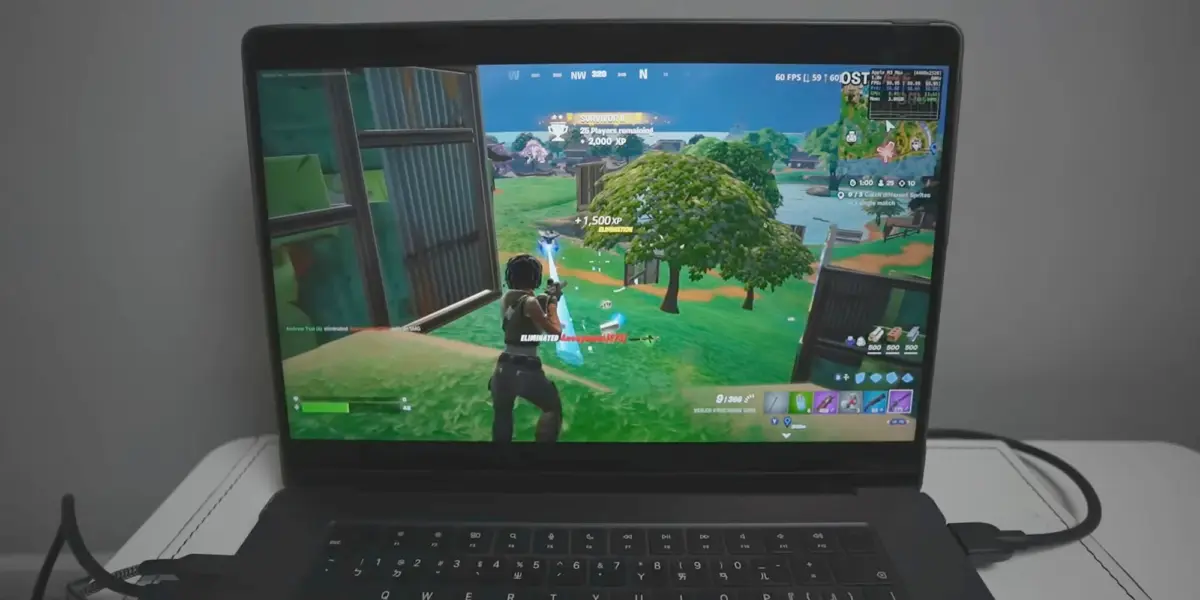
However, the hardware landscape on Apple’s side has evolved dramatically. The introduction of Apple Silicon (M-series processors) unified the architecture of iOS and macOS, enabling Macs to run iPad and iPhone applications natively. Capitalizing on this architectural convergence, the open-source developer community has engineered a clever workaround. By utilizing a newly popularized GitHub utility known as FnMacAssistant, users with Apple Silicon Macs can now download, patch, and execute the genuine, native mobile build of Fortnite directly on their desktop hardware.
This development bypasses cloud infrastructure entirely, allowing the game to run straight from the local M-series GPU. Yet, this method sits in a complex gray area of side-loading, Apple ID app-signing, and third-party script execution. This comprehensive report examines the mechanics of this community workaround, details the historical context of the Epic-Apple feud, evaluates the technical implications for Apple Silicon hardware, and weighs the risks and rewards for Mac gamers eager to drop onto the Island without a cloud subscription.
Detailed Chronology: The Rift Between Epic Games and Apple
To understand why Mac users must resort to community-made assistants to play Fortnite natively, it is vital to trace the events that severed official support.
August 2020: The "Nineteen Eighty-Four" Provocation
The conflict reached a boiling point on August 13, 2020. Epic Games introduced a direct payment system into the mobile versions of Fortnite, deliberately bypassing Apple’s mandatory In-App Purchase (IAP) system and its accompanying 30% commission fee. Within hours, Apple removed Fortnite from the App Store. Epic responded immediately by launching a pre-rendered satirical video mocking Apple’s iconic 1984 commercial, followed swiftly by an antitrust lawsuit filed in the United States District Court for the Northern District of California.
The Collateral Damage to macOS
While the legal battle primarily centered on iOS and the App Store’s anti-steering provisions, macOS suffered immediate collateral damage. Because Apple revoked Epic Games’ developer accounts in retaliation for the contract breach, Epic could no longer sign, update, or distribute software on any Apple platform. Consequently, the native macOS client—which was already lagging behind Windows and console editions in terms of updates and optimization—was effectively abandoned. Fortnite on Mac was frozen in time, remaining stuck on older seasons while the rest of the gaming world marched forward.
The Cloud Gaming Compromise
Recognizing that direct native support was legally and technically dead for the foreseeable future, Epic Games pivoted its messaging. The company directed frustrated Mac and iOS users toward cloud-based streaming platforms. While this restored a semblance of access via browsers and dedicated web apps, it alienated players seeking the fidelity, high frame rates, and zero-latency input of a locally rendered application.
Late 2024 to 2025: The Rise of Apple Silicon Workarounds
As Apple Silicon matured—culminating in the immense graphical power of the M3 and M4 generations—the hardware disparity between Macs and traditional gaming PCs shrank considerably. Security researchers and hobbyist developers realized that the iOS version of Fortnite, which remains active in regions and contexts permitted by ongoing regulatory shifts (such as the European Union’s Digital Markets Act), could theoretically be adapted to run on Apple Silicon Macs. This realization culminated in the creation of specialized automation tools like FnMacAssistant, bridging the gap between mobile IPAs and desktop macOS execution.
Supporting Context & Metrics: The Technical Reality of FnMacAssistant
Running a mobile application natively on a desktop operating system requires navigating several software layers. Apple Silicon Macs (utilizing the M1, M2, M3, and M4 chips) share the same ARM64 architecture as iPhones and iPads. In theory, this means macOS can execute iOS binaries. In practice, however, developers often apply flags or restrictions preventing mobile apps from running on macOS desktop displays unless specifically authorized.
How FnMacAssistant Bridges the Gap
Hosted publicly on GitHub by developer community contributors (notably championed by repositories such as isacucho/FnMacAssistant), the assistant automates a multi-step process that would otherwise require advanced command-line expertise:
- IPA Acquisition: The tool assists users in obtaining the latest authorized Fortnite mobile IPA (iOS App Store package) file.
- Binary Patching: It applies specific configuration and entitlement patches. These modifications trick the application into recognizing the macOS desktop environment, adjusting window boundaries, and mapping keyboard, mouse, or controller inputs correctly to the mobile framework.
- App Signing via Apple ID: Because the modified IPA is not signed by an official App Store certificate, users must sign the application locally using their personal Apple ID. This is a methodology long familiar to the sideloading community via tools like Sideloadly or AltStore. By using a personal development signature, macOS permits the application to launch without a paid Apple Developer Program membership.
Hardware Performance on Apple Silicon
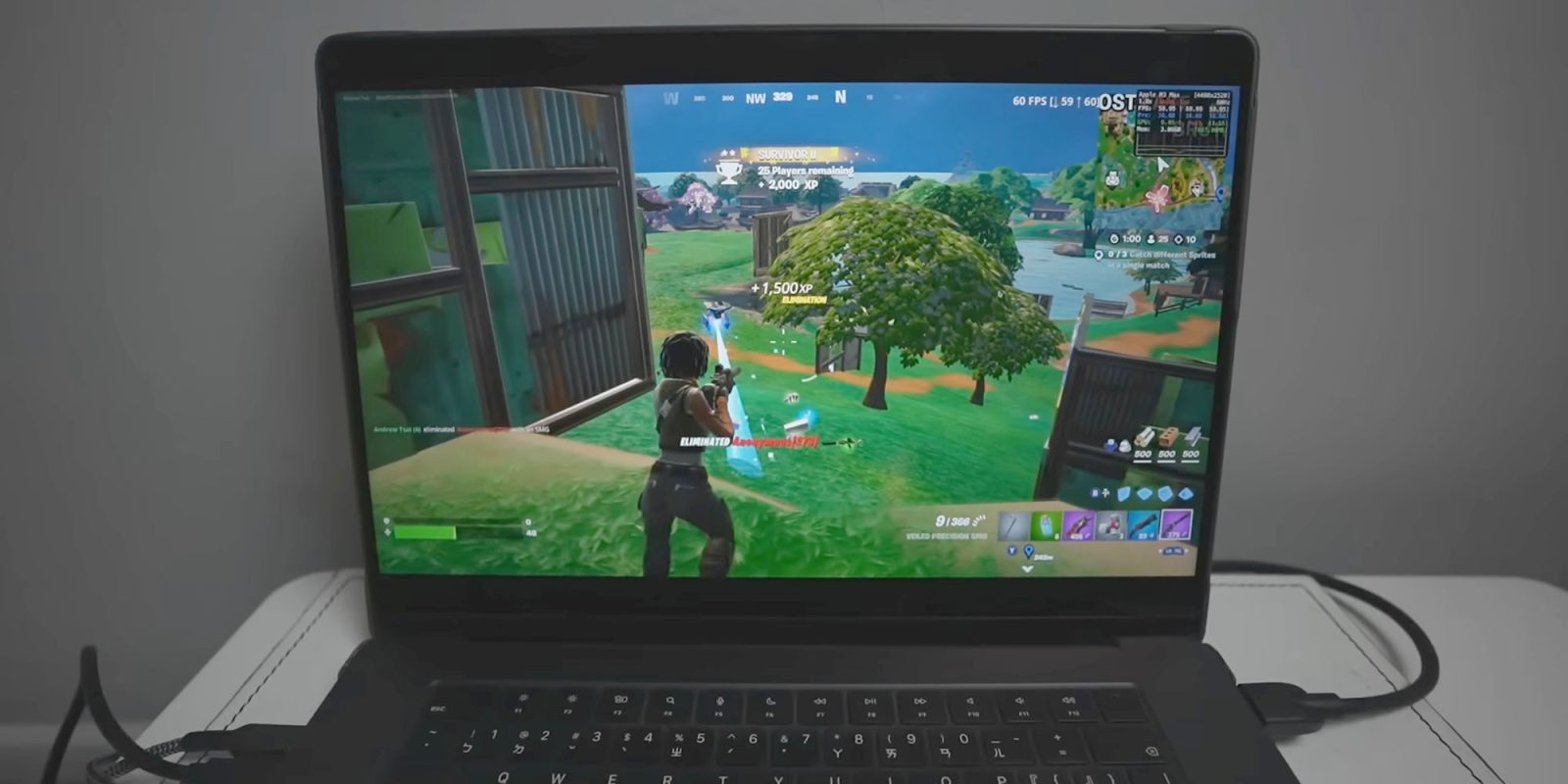
Early demonstrations and breakdowns—such as those published by Andrew Tsai, founder of AppleGamingWiki—reveal surprising performance metrics. Because the game is running natively on the GPU cores of the Apple Silicon chip rather than being compressed and streamed over a Wi-Fi network, frame rates can be remarkably stable.
- M1 and M2 Base Models: Capable of running the mobile-optimized assets at moderate settings with acceptable frame rates, though thermal throttling can occur in fanless designs like the MacBook Air.
- Pro, Max, and Ultra Variants (M3/M4): These chips easily push high refresh rates, benefiting from unified memory architecture and robust thermal cooling in MacBook Pro and Mac Studio configurations.
However, the experience is not without compromises. Players must contend with mobile-tier user interfaces, touch-control elements that require careful mapping to physical peripherals, and potential stability bugs whenever Epic Games pushes a server-side hotfix that desynchronizes with the patched client version.

Official Statements and Community Disclaimers
Navigating unofficial workarounds requires careful attention to developer warnings and platform terms of service.
Epic Games’ Official Stance
Epic Games maintains its official guidance regarding macOS compatibility without officially acknowledging or supporting community sideloading methods. Their documentation remains clear:
"Is Fortnite available on Mac? No, but you can play Fortnite on Mac via cloud gaming with Xbox Cloud Gaming, Nvidia GeForce NOW, or Amazon Luna."
Epic provides no technical support for users attempting to run patched mobile IPAs on desktop macOS. If a user encounters bugs, crashes, or account security flags while using community workarounds, they do so entirely at their own risk.
Community Caveats and Troubleshooting
The creators of FnMacAssistant and community moderators on specialized hubs—such as the Fortnite Mac Discord channel—emphasize that precision is mandatory during installation. According to community documentation:
- Strict adherence to steps is required: Reddit threads and GitHub issue logs frequently feature users reporting fatal errors, crashes upon launch, or signing failures. In almost every instance, investigation reveals that a single terminal command or configuration file step was skipped or performed incorrectly.
- The Apple ID Security Consideration: Users must input their personal Apple ID credentials into the sideloading tool to generate a local provisioning profile. While this practice is widespread in the iOS jailbreaking and sideloading communities, privacy-conscious users must evaluate whether they are comfortable sharing signing data with third-party open-source scripts.
- Ban Risks: While running a patched mobile client falls into a gray area, Epic Games’ anti-cheat systems (
Easy Anti-Cheat) are notoriously aggressive. Although current community reports suggest bans are rare for users simply trying to run the mobile version on compatible hardware, Epic reserves the right to alter its security policies at any time, potentially flagging modified client signatures.
Future Outlook: Will Native Mac Gaming Ever Return?
The emergence of tools like FnMacAssistant highlights an undeniable market demand: Mac owners want local, high-performance versions of blockbuster multiplayer games. Yet, the broader outlook for official native support remains complicated.

The Ongoing Legal and Business Impasse
As long as the legal and commercial fallout between Epic Games and Apple persists—particularly concerning alternative app marketplaces, web-payment links, and developer account fees—an official, native Mac App Store release of Fortnite is unlikely. Epic CEO Tim Sweeney has frequently criticized Apple’s hardware and software ecosystem controls, meaning a reconciliation that brings Fortnite back to macOS through official channels remains a distant prospect.
The Role of Apple’s Game Porting Toolkit
Apple has made significant strides in courting developers through initiatives like the Game Porting Toolkit (GPTK), encouraging AAA studios to bring Windows games (built on DirectX) over to Metal 3. Titles like Death Stranding, Resident Evil, and Cyberpunk 2077 (via upcoming ports) demonstrate that Apple Silicon is fully capable of handling AAA desktop titles. However, live-service games with proprietary anti-cheat requirements, such as Fortnite, require dedicated developer maintenance—something Epic Games has chosen to withhold from macOS.
Where the Community Goes From Here
Until corporate priorities shift or legal landscapes force a change, the future of Fortnite on Mac will likely rest in the hands of open-source developers. Tools like FnMacAssistant represent the resilience of a gaming community determined to extract maximum utility from expensive hardware, bridging the gap left by corporate disputes. For tech-savvy users willing to navigate GitHub repositories, Apple ID signing, and meticulous installation steps, the barrier to playing real, native Fortnite on a MacBook Pro or Mac Studio has never been lower—even if it remains entirely off the official map.








Belum ada komentar. Jadilah yang pertama berkomentar!