

Executive Overview
For years, the relationship between Epic Games and Apple has been defined by high-stakes courtroom battles, severed developer accounts, and a frosty standoff that left Mac users bearing the collateral damage. While official avenues to play Fortnite on a Mac have long been relegated to cloud-based workarounds—such as Xbox Cloud Gaming, Nvidia GeForce NOW, and Amazon Luna—a dedicated community of developers and hardware enthusiasts has quietly bypassed these limitations.
Through the use of specialized automation scripts and mobile iOS app packages (IPAs), users with Apple Silicon Macs (M1, M2, M3, and M4 series chips) can now run the real, native mobile version of Fortnite directly on their desktop and laptop hardware. No streaming lag, no subscription-based cloud queues, and no browser-based latency.
However, this workaround—centered around open-source tools like the FnMacAssistant available on GitHub—exists in a gray area of sideloading, Apple ID app-signing, and community-driven patching. While tech creators like AppleGamingWiki founder Andrew Tsai have demonstrated that the method is viable and surprisingly performant, it requires meticulous execution, technical patience, and an acceptance of the risks associated with sideloading unsupported software. This report examines how the workaround functions, the context of the ongoing Epic-Apple feud, the technical hurdles involved, and what this means for the future of gaming on Apple Silicon.
Detailed Chronology: The Anatomy of a Mac Exile
To understand why Mac users have to jump through hoops to play Fortnite natively, one must revisit the timeline of the Epic Games versus Apple antitrust saga.
- August 2020: Epic Games introduces a direct payment system into the iOS version of Fortnite, intentionally bypassing Apple’s In-App Purchase system and violating App Store guidelines. In response, Apple removes Fortnite from the App Store and terminates Epic’s developer account, effectively shutting down native support, updates, and maintenance for the game across both iOS and macOS ecosystems.
- 2020–2023: Epic Games pivots heavily toward cloud streaming services. In official support documentation, Epic maintains that Fortnite is technically unavailable on macOS, instead directing players to use browser- or app-based cloud platforms like Nvidia GeForce NOW, Xbox Cloud Gaming, and Amazon Luna.
- Late 2020: Apple introduces the M1 chip, ushering in the "Apple Silicon" era. Because Apple Silicon architecture (ARM-based) shares structural DNA with Apple’s mobile devices (iPhone and iPad), iOS apps gain the native capability to run on macOS hardware. However, because Epic actively blocked its iOS apps from running on Apple Silicon Macs, users could not simply download the mobile version of Fortnite from their purchase history.
- 2024–2025: Community developers begin experimenting more aggressively with IPA extraction, custom patching tools, and sideloading utilities (such as Sideloadly and AltStore). Projects like
FnMacAssistantemerge on GitHub, designed to automate the acquisition and patching process, making native execution on Apple Silicon a reality for everyday users willing to look past official channels.
Technical Breakdown: How FnMacAssistant Bypasses the Blockade
The breakthrough that allows Fortnite to run natively on Apple Silicon relies on a fundamental architectural shift: Apple Silicon Macs natively understand ARM code, which is the same instruction set used by iPhones and iPads. In theory, mobile games should run seamlessly on modern Macs. In practice, developers can explicitly opt out of Mac availability, and Epic Games has maintained a strict block against running its mobile binaries on macOS.
The workaround centers around a community-developed utility hosted on GitHub known as FnMacAssistant.
The Workflow:
- Downloading the IPA: The assistant script assists the user in downloading the latest legitimate Fortnite IPA (iOS App Store package) file.
- Applying Patches: Because the mobile app checks for restrictions, device profiles, and operating system identifiers, the assistant applies specific runtime patches to the IPA. These modifications trick the application into bypassing macOS environment checks.
- App Signing via Apple ID: To run a modified or sideloaded IPA on macOS without a paid Apple Developer Program membership (which costs $99/year), the app must be locally "signed" using a personal Apple ID. This is a common practice in the iOS/macOS sideloading community, utilizing mechanisms similar to tools like Sideloadly.
- Execution: Once signed, the app can be launched directly through the macOS Finder or Launchpad, executing the mobile version of the game utilizing the raw power of the Mac’s unified memory and Apple Silicon GPU cores.
The User Experience and Hardware Performance
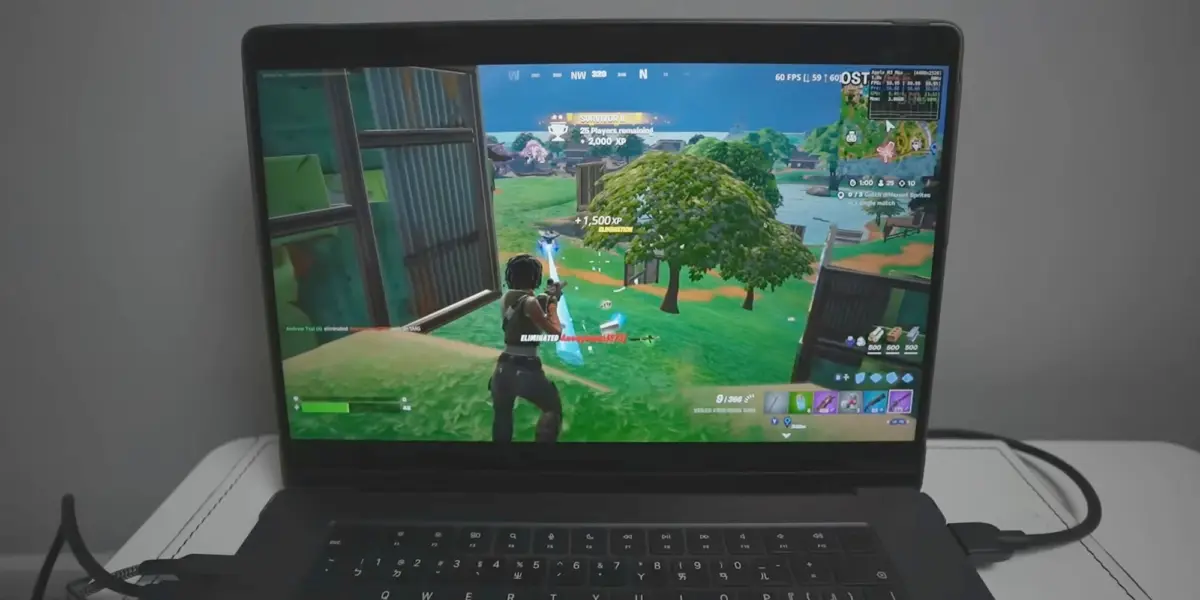
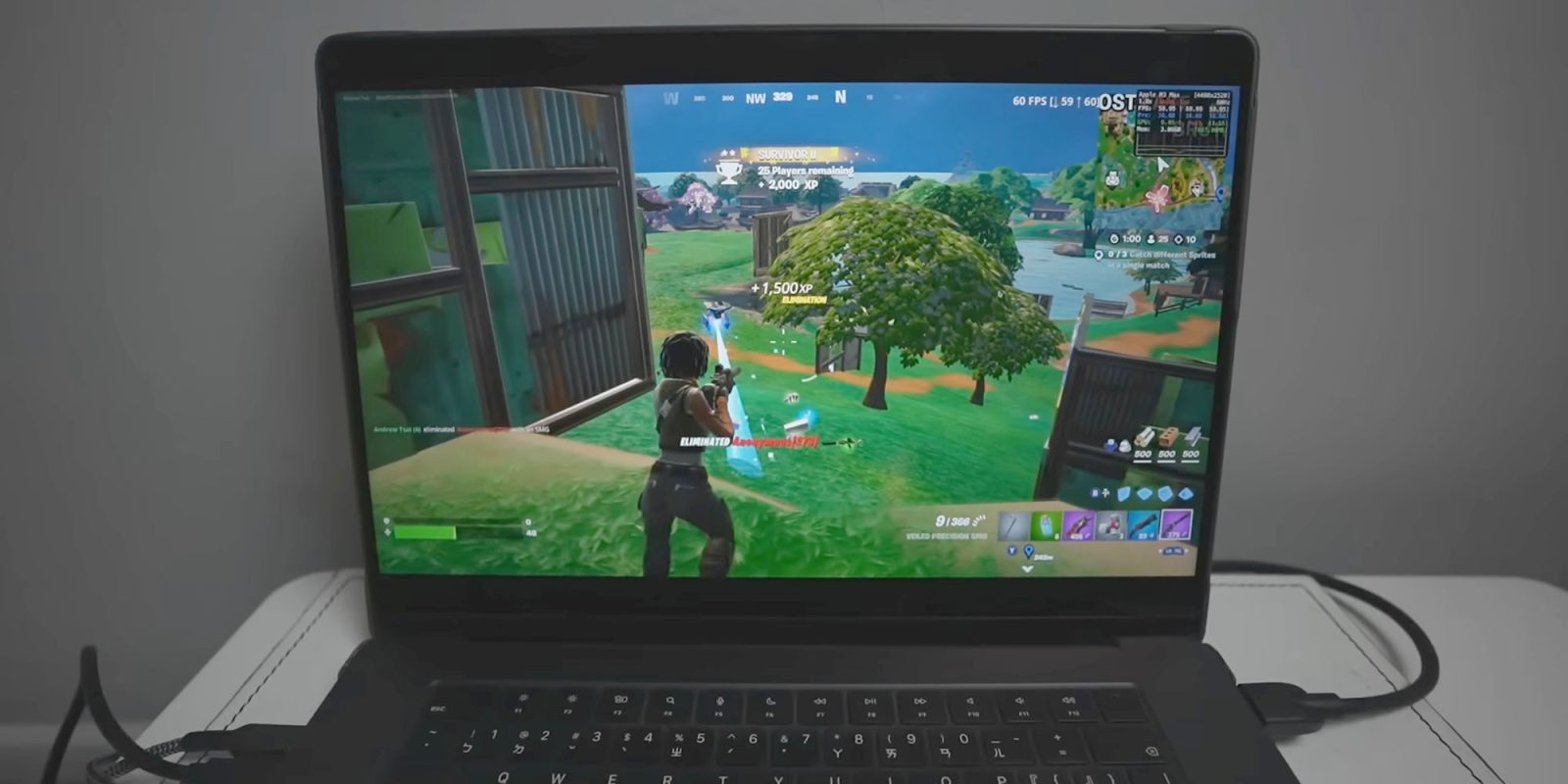
In video demonstrations by Andrew Tsai of AppleGamingWiki, the native mobile version running on an M3 MacBook Pro yields impressive visual fidelity and frame rates, vastly outperforming the compression artifacts and input lag often associated with cloud gaming streams.
However, it is not a turnkey consumer experience. Because the game is fundamentally a mobile port running via modified parameters, users may encounter interface scaling quirks, controller mapping challenges, and game-breaking bugs if updates break the custom patches. Furthermore, following the installation guide requires absolute precision; community forums and Reddit threads are filled with troubleshooting logs where a single missed terminal command or skipped configuration step results in immediate crashes upon launch.

Supporting Context & Metrics: The State of Mac Gaming
To evaluate why players are going to such lengths to play Fortnite locally, it is helpful to look at broader industry metrics regarding Mac gaming and cloud adoption:
- The Cloud Alternative Limitations: While Nvidia GeForce NOW and Xbox Cloud Gaming provide access to Fortnite, they introduce variables entirely dependent on internet infrastructure. High jitter, packet loss, and bandwidth caps make competitive building and shooting in Fortnite frustrating compared to native rendering.
- Apple Silicon Market Share: Apple’s transition away from Intel processors has drastically increased the graphical horsepower of standard MacBooks, iMacs, and Mac minis. Integrated GPUs on M-series chips now routinely outperform many mid-range dedicated desktop graphics cards from previous generations, sparking intense interest from gamers and developers alike.
- The Sideloading Ecosystem: Tools designed for IPA management have seen a surge in adoption. According to community metrics on GitHub and Reddit, thousands of users utilize personal signing tools weekly to run legacy apps, emulators, and restricted mobile software on macOS and iOS.
Official Statements and Industry Perspectives
Neither Apple nor Epic Games has officially endorsed or acknowledged community-driven patching tools like FnMacAssistant. Their official stances remain anchored in their corporate dispute:
- Epic Games’ Official Position: Epic continues to direct Mac users exclusively to cloud platforms:
"Is Fortnite available on Mac? No, but you can play Fortnite on Mac via cloud gaming with Xbox Cloud Gaming, Nvidia GeForce NOW, or Amazon Luna."
Epic CEO Tim Sweeney has repeatedly stated that the company will not return Fortnite to Apple’s traditional platforms until antitrust remedies provide what Epic considers a fair, anti-competitive-free marketplace—though recent regulatory pressures in Europe have forced Epic to launch its own alternative mobile app stores elsewhere. - Apple’s Stance: Apple maintains that its App Store guidelines, review processes, and developer fee structures are designed to protect user security and privacy. Apple has consistently argued that allowing unverified third-party app distribution outside the official App Store and Mac App Store exposes users to malware and compromised software binaries—a talking point frequently echoed when discussing sideloading tools.
Future Outlook: Will Native Mac Support Ever Return?
For the average consumer who values plug-and-play stability, sideloading a patched mobile IPA via GitHub scripts is unlikely to become the mainstream method for playing Fortnite on a Mac. The requirement to use personal Apple IDs for app signing, coupled with the risk of patches breaking with every single seasonal Fortnite update, makes it a hobbyist solution rather than a commercial product.

However, the enthusiasm surrounding projects like FnMacAssistant and the coverage by creators like Andrew Tsai highlight an undeniable market demand: Mac users want native games, and Apple Silicon hardware is more than capable of running them.
As legal battles wind through the courts, international regulators pressure gatekeepers to open up closed ecosystems, and Apple continues to push developer toolkits like the Game Porting Toolkit, the wall between desktop macOS and mobile architectures is slowly eroding. Whether Epic Games and Apple will ever mend fences to bring an official, optimized, native macOS build of Fortnite back to the Mac App Store remains to be seen. Until that day arrives, the ingenuity of the open-source community will remain the primary bridge over troubled waters for Mac-based gamers.








Belum ada komentar. Jadilah yang pertama berkomentar!