

Executive Overview
For years, the battle lines between Epic Games and Apple have left Mac owners caught in the crossfire. Following Epic’s high-profile antitrust lawsuit against Apple in 2020, Fortnite was unceremoniously ripped from the iOS App Store and the macOS ecosystem, effectively stranding millions of players. While Epic Games officially directs stranded Mac users toward cloud-based streaming workarounds—such as Xbox Cloud Gaming, Nvidia GeForce NOW, and Amazon Luna—these services come with inherent drawbacks, including input latency, compression artifacts, and the necessity of a robust, uninterrupted high-speed internet connection.
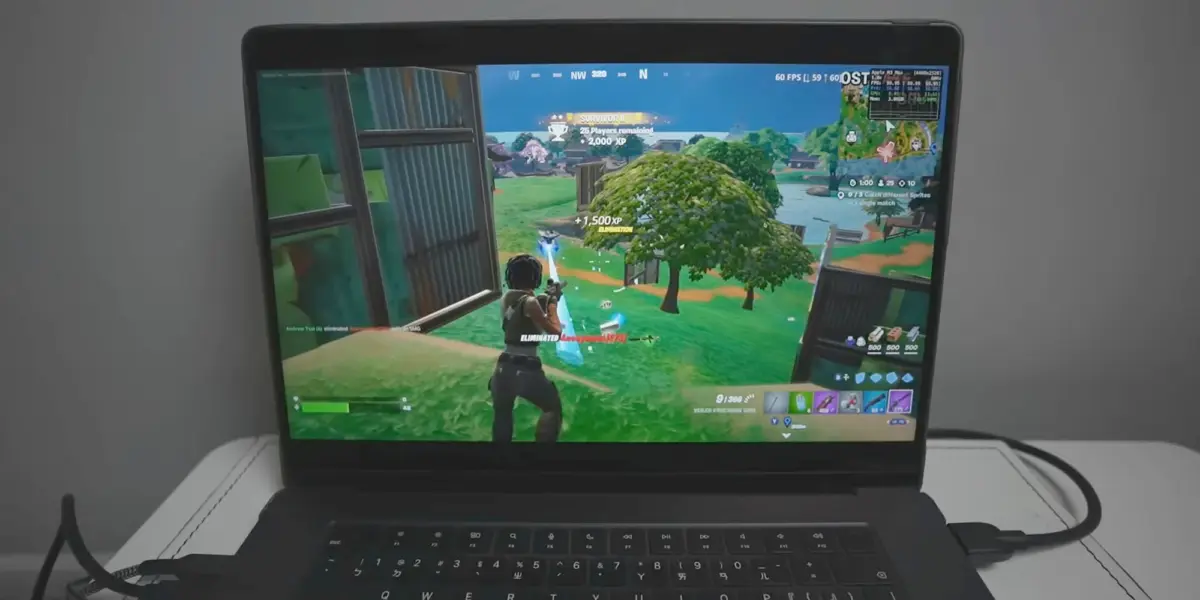
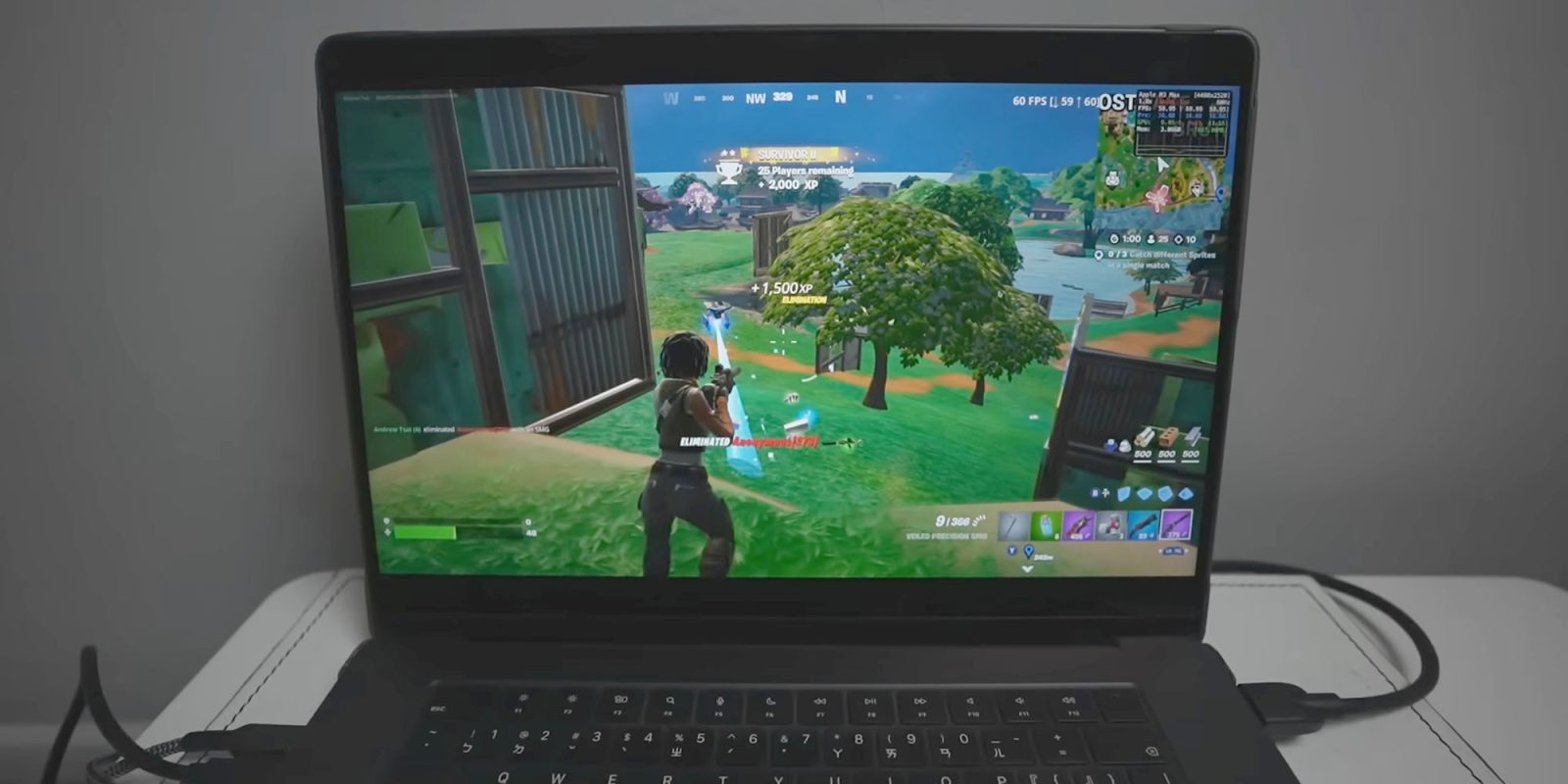
However, the hardware landscape has shifted dramatically. Apple’s transition to its proprietary Apple Silicon architecture (M1, M2, M3, and M4 series chips) has bridged the performance gap between traditional PCs and Macs, granting macOS devices the native capability to run iOS and iPadOS applications. Leveraging this hardware architectural parity, ingenious developers and community tools have now unlocked a backdoor method to play the real, native mobile version of Fortnite directly on Apple Silicon Macs, completely bypassing the need for cloud infrastructure, streaming subscriptions, or emulation.
This development represents a fascinating intersection of side-loading technology, community-driven preservation, and the ongoing saga of platform monopolization. Through open-source utilities like FnMacAssistant, users can download, patch, and execute the native mobile IPA (iOS App Store Package) of Fortnite on macOS. While this method delivers buttery-smooth, uncompressed native performance, it requires meticulous adherence to installation protocols, a willingness to navigate security workarounds, and a careful consideration of platform safety and Apple ID usage.
This comprehensive report explores the technical mechanics of running native Fortnite on Apple Silicon, the historical context of the Epic-Apple feud, step-by-step community methods, potential risks, and what this means for the future of macOS gaming.
Detailed Chronology: The Fall and Rise of Fortnite on Mac
To understand how modern Mac users are circumventing Epic’s official limitations, it is essential to trace the timeline of events that severed Fortnite from Apple’s hardware ecosystem.
August 2020: The Epic Exodus
In August 2020, Epic Games implemented a direct payment system within the mobile versions of Fortnite, intentionally bypassing Apple’s mandatory 30% in-app purchase commission. Swiftly and decisively, Apple retaliated by terminating Epic’s developer accounts, removing Fortnite from the App Store globally, and revoking Epic’s tools for macOS and iOS development. Because macOS and iOS shared underlying codebases and development pipelines, the native Mac client—which had enjoyed parallel updates alongside PC and console versions—was collateral damage. For over four years, Mac gamers faced an absolute blackout regarding native updates, trapped on an outdated version of the game that lacked modern seasons, battle passes, and cross-play compatibility.
The Cloud Gaming Era
Recognizing that direct native support was legally and technically blocked on Apple platforms, Epic Games pivoted its user acquisition strategy for Mac owners. Official support pages repeatedly directed players toward cloud gaming providers. While services like Nvidia GeForce NOW allowed players to experience high-fidelity graphics streamed from remote server blades, the experience was fundamentally hindered by network dependency. Competitive players lamented the fractional input lag, while users with capped data plans found cloud streaming economically unviable. The demand for a local, native solution persisted.
The Rise of Apple Silicon and Sideloading
The release of the M1 chip in late 2020 fundamentally altered the Mac’s computational identity. By adopting an ARM-based architecture identical in lineage to the chips powering iPhones and iPads, Apple Silicon Macs gained the native ability to execute iOS applications. While Apple implemented software blocks preventing the direct download of Fortnite via the Mac App Store (due to the terminated developer account status), the hardware foundation for native execution was firmly in place.
Over the subsequent years, sideloading tools—such as Sideloadly and AltStore—matured, allowing users to install custom IPAs by signing them with their personal Apple IDs. Eventually, open-source developers recognized that these sideloading frameworks, combined with custom patching scripts, could prepare the mobile Fortnite IPA to run seamlessly within the macOS environment. This culminated in the creation of specialized community toolkits like FnMacAssistant, giving birth to the modern native Mac workaround.
Supporting Context & Metrics: Architecture, Performance, and Community Solutions
Running a modern, resource-intensive battle royale title originally designed for mobile and tablet architectures on a desktop operating system requires a specialized approach.
The Mechanics of FnMacAssistant
Hosted publicly on GitHub, FnMacAssistant functions as an automated script and assistant designed to streamline a historically complex multi-step process. The tool automates the retrieval of the latest official Fortnite mobile IPA file and applies necessary binary patches to ensure compatibility with macOS frameworks, window management systems, and desktop input devices.
[User Mac (Apple Silicon)]
       │
       ├──> FnMacAssistant (GitHub Open-Source Tool)
       │         │
       │         ├──> Downloads Latest Mobile Fortnite IPA
       │         └──> Applies macOS Compatibility Patches
       │
       └──> Sideloadly / Apple ID Signing (Bypasses Developer License)
                 │
                 └──> Native Execution on M1/M2/M3/M4 Hardware
Technical Requirements and Workflow
Executing this method is not a simple "one-click" consumer installation; it demands technical mindfulness. The primary prerequisites and procedural steps include:

- Hardware Limitations: The method is strictly limited to Apple Silicon Macs (M1, M2, M3, M4 series). Intel-based Macs lack the underlying ARM instruction set architecture required to execute mobile iOS binaries natively.
- Apple ID Integration: Users must log in using a personal Apple ID to sign the application locally. This bypasses the requirement for a paid Apple Developer Program license ($99/year), a technique that has been widely utilized by the sideloading community for years.
- Meticulous Instruction Following: Community threads across platforms like Reddit and dedicated Discord channels indicate that the vast majority of installation failures stem from skipped steps or misconfigured permissions. Developers have built extensive troubleshooting guides directly into the GitHub repository to address common runtime errors, graphics pipeline panics, and entitlement mismatches.
- Community Support Ecosystems: Recognizing the technical friction involved, dedicated support hubs—such as the Fortnite Mac Discord channel and resource repositories like the AppleGamingWiki (championed by tech creator Andrew Tsai)—have emerged as vital lifelines. Content creators have published detailed visual walkthroughs demonstrating real-time frame rates, thermal throttling behaviors on fanless MacBook Air models versus active-cooled MacBook Pros, and input mapping configurations.
Official Statements and Industry Perspective
The ongoing chasm between official corporate policy and grassroots technical workarounds highlights a fascinating philosophical divide in modern computing.
Epic Games’ Official Stance
Epic Games maintains a rigid, legally driven position regarding macOS availability. Their official documentation addresses the platform question directly:
"Is Fortnite available on Mac? No, but you can play Fortnite on Mac via cloud gaming with Xbox Cloud Gaming, Nvidia GeForce NOW, or Amazon Luna."
Epic’s corporate messaging deliberately steers users away from native expectations, focusing its public advocacy legal battles on mobile app store policies (particularly within the European Union under the Digital Markets Act) rather than actively maintaining a separate macOS desktop build. From Epic’s perspective, supporting a dedicated macOS pipeline remains commercially unjustifiable while their developer certification with Apple remains revoked.
Apple’s Closed Ecosystem Philosophy
Apple, conversely, continues to defend the cryptographic integrity of its code-signing and app distribution pipelines. By requiring apps distributed on its platforms to either pass through the official App Store or utilize verified developer certificates, Apple maintains strict control over software safety and monetization. Sideloading via personal Apple ID signing exploits a provision originally intended for developer testing and personal app development, placing the responsibility—and potential security liability—squarely on the end user.
Industry analysts note that while Apple has made significant marketing strides to brand modern Macs as premier gaming platforms (highlighted by the launch of the Game Porting Toolkit and high-profile AAA ports like Resident Evil and Death Stranding), the absence of titles like Fortnite remains a glaring omission that undercuts their aspirations for mainstream competitive gaming dominance on desktop hardware.

Future Outlook: Will Official Native Mac Support Ever Return?
As the regulatory and legal landscape surrounding digital storefronts undergoes seismic shifts globally, the future of Fortnite on macOS remains an open question.
Regulatory Pressures and Alternative App Stores
Antitrust scrutiny is dismantling walled gardens across multiple jurisdictions. The European Union’s Digital Markets Act (DMA) has already forced Apple to permit alternative app marketplaces on iOS within the EU. As these regulatory frameworks evolve, legal pressure could eventually spill over to macOS, potentially creating pathways for Epic Games to reintroduce its proprietary Epic Games Store directly to Mac users without submitting to traditional App Store fee structures.
The Trajectory of Community Sideloading
Until official corporate reconciliation occurs, community-driven projects like FnMacAssistant and repositories hosted on GitHub will remain the primary conduits for enthusiasts seeking uncompromised local performance. As Apple Silicon processors grow increasingly powerful—with M4-tier chips dominating performance-per-watt metrics—the capability of Mac hardware to effortlessly handle mobile and console-ported titles will only expand.
For now, adventurous Mac gamers face a calculated choice: accept the latency and compression of cloud-based streaming services, or dive into the technical weeds of open-source sideloading, community Discord channels, and patch scripts to reclaim true, native Fortnite on their Apple Silicon machines.








Belum ada komentar. Jadilah yang pertama berkomentar!