

Executive Overview
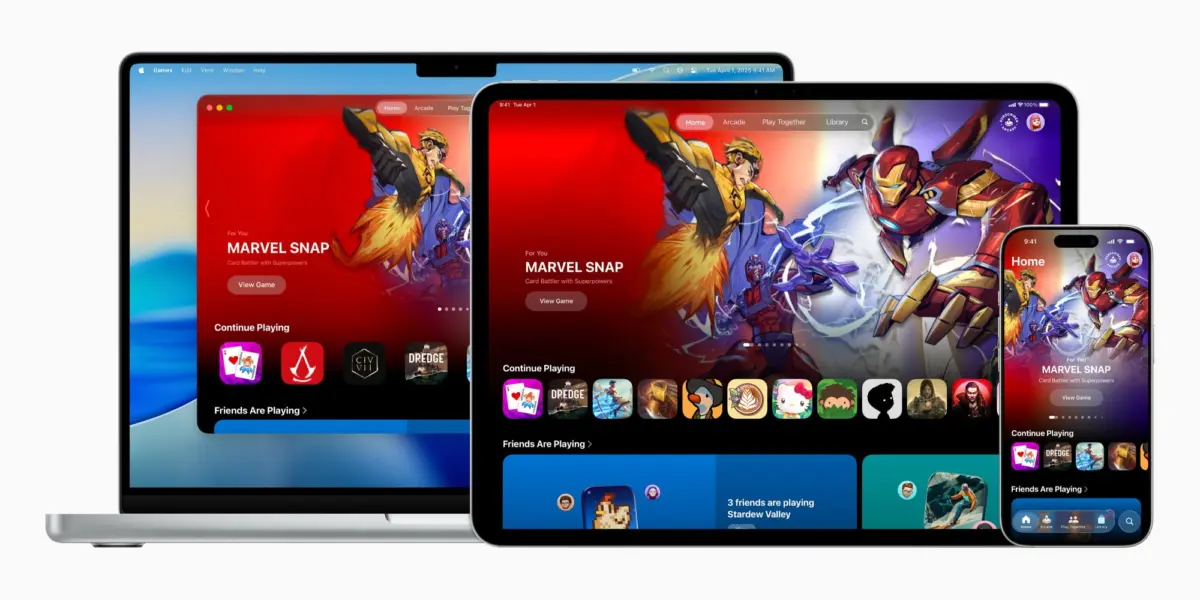
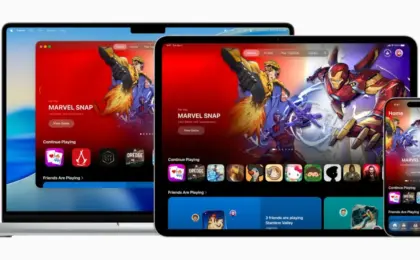
The arrival of iOS 26 has quietly altered the landscape of mobile entertainment, marking one of the most significant structural shifts in how Apple approaches interactive software on its devices. Among the marquee updates delivered in this major software release is the introduction of two dedicated, built-in applications designed to streamline user experiences. Chief among them is Apple Games—a centralized hub engineered to consolidate the sprawling, diverse ecosystem of iPhone, iPad, and Mac gaming into a single, unified interface.
For years, the App Store served as both the marketplace and the de facto launcher for Apple users’ gaming libraries, creating a fractured experience where high-end console-quality titles sat uncomfortably alongside casual match-three puzzles and utility applications. Apple Games attempts to solve this fragmentation by providing a dedicated ecosystem tailored specifically to players. Billed by Apple as "a personalized home for games and playing with friends," the application synthesizes local libraries, social tracking via Game Center, subscription management for Apple Arcade, and curated discovery tools.
Following successive software iterations—most notably the iOS 26.2 update—the application has matured rapidly. It now incorporates sophisticated library filtering, streamlined controller navigation, and deep cross-device continuity. This article provides an authoritative, exhaustive exploration of the Apple Games app, examining its architectural features, interface design, ecosystem implications, and long-term outlook for the future of mobile and desktop gaming.
Detailed Chronology: From App Store Fragment to Unified Ecosystem
The Pre-iOS 26 Landscape: The App Store Bottleneck
Historically, Apple’s strategy for gaming relied heavily on the general-purpose App Store. While the introduction of Apple Arcade in 2019 provided a curated subscription tab within that ecosystem, non-subscription titles—ranging from indie masterpieces to graphically demanding AAA ports like Resident Evil and Death Stranding—remained buried alongside productivity tools, banking utilities, and social media apps.
Gamers lacked a native home screen presence dedicated purely to their hobby. Finding recent titles, checking achievements, or seeing what friends were playing required navigating through multiple sub-menus or opening legacy Game Center settings buried deep within the iOS Settings app. The disconnect between casual and hardcore players created a barrier that Apple needed to bridge as the iPhone increasingly positioned itself as a legitimate handheld console.
The WWDC Announcement and Initial Rollout
Apple first pulled back the curtain on the dedicated Games app during its mid-2025 developer conference, positioning the software as a cornerstone of the iOS 26 rollout. The initial beta phase highlighted Apple’s ambition to create a cross-platform gaming nexus spanning iOS, iPadOS, and macOS.
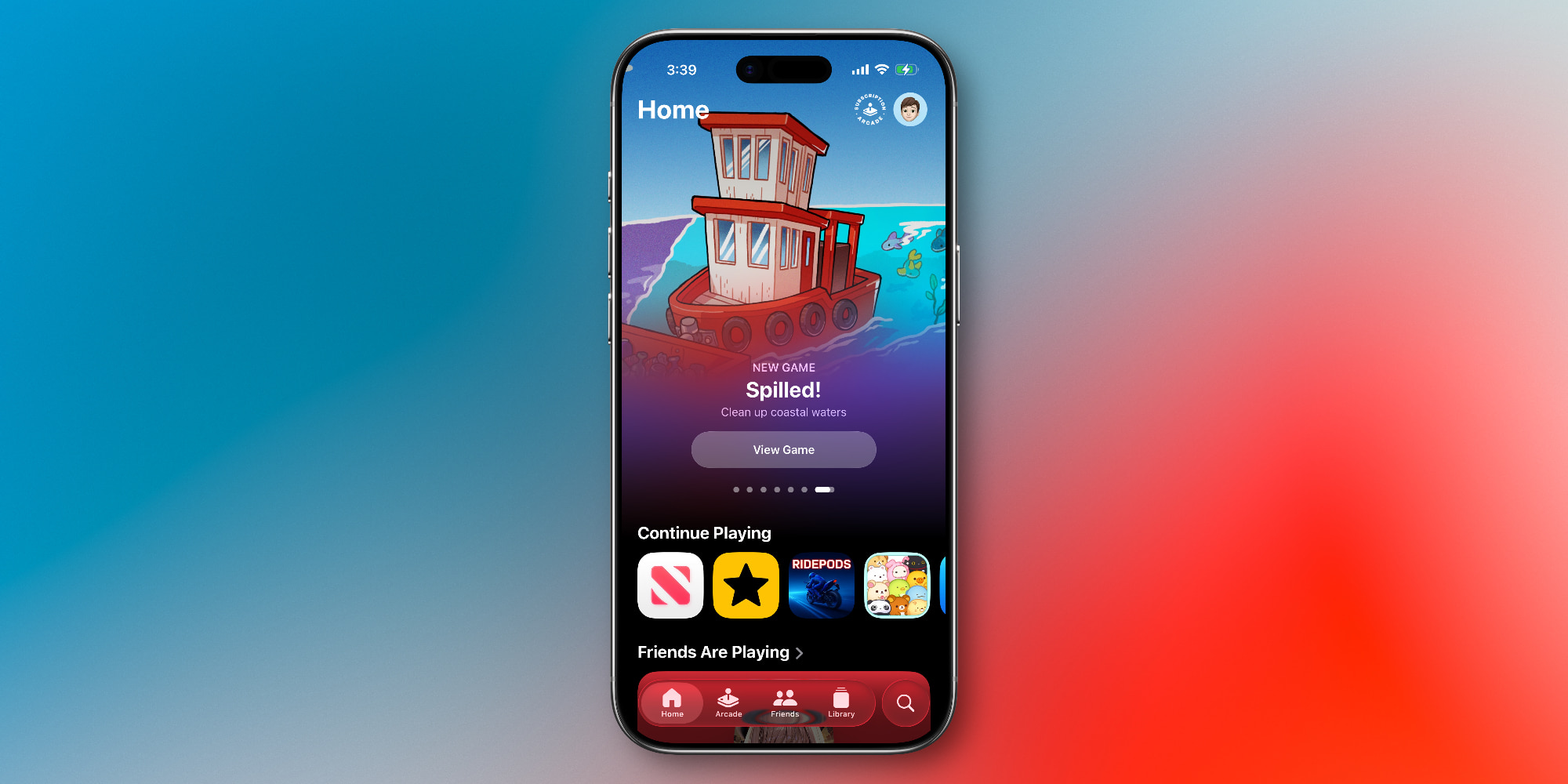
When iOS 26 officially deployed to the public in late 2025, the application immediately integrated itself onto user home screens, sparking widespread discussion regarding Apple’s growing ambitions in the gaming sector. Early builds focused primarily on establishing the core navigation structure: a home dashboard, an Apple Arcade gateway, a social hub, a local library manager, and a search engine.
Iterative Refinement: The iOS 26.2 Milestone
Apple did not leave the application static following its initial debut. Recognizing early user feedback regarding library management and navigation ergonomics, the tech giant pushed substantial updates in iOS 26.2.
Key among these improvements was the overhaul of the local Library tab, introducing advanced filtering capabilities that allow users to sort massive collections of software by genre, controller support, offline playability, and installation status. Furthermore, iOS 26.2 introduced comprehensive gamepad navigation support. Players utilizing Bluetooth controllers—such as PlayStation, Xbox, or MFi-certified hardware—can now navigate the entire Apple Games interface seamlessly without ever needing to touch their device’s display, marking a massive leap forward for console-style workflows on iPad and Apple TV-adjacent setups.
Architecture and Core Features: Navigating Apple Games
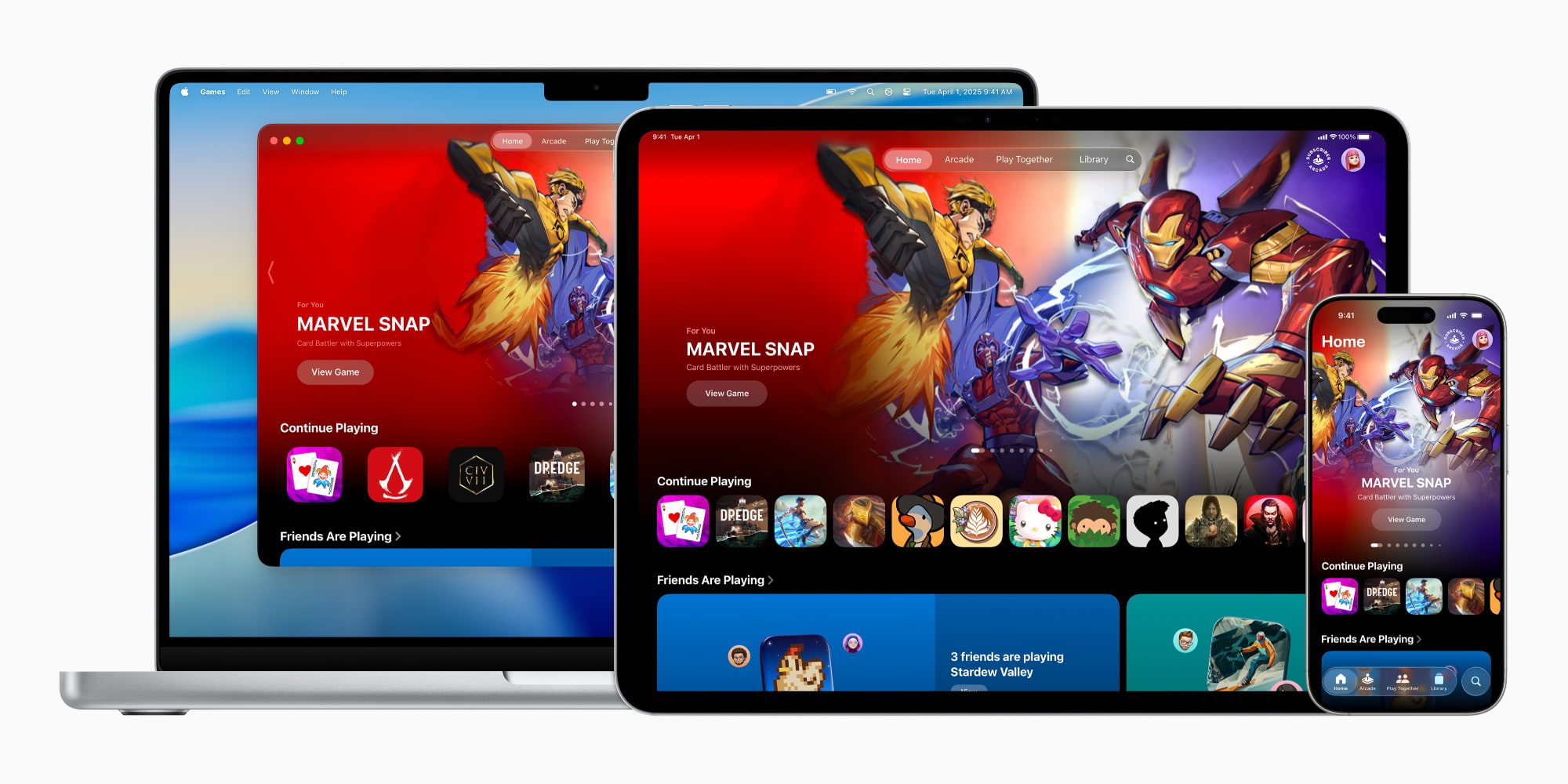
To understand the utility of the Apple Games app, one must examine its five foundational pillars. Structurally, the interface borrows design philosophies from mature Apple media applications like Apple TV, Apple Books, and Apple Music, offering a familiar yet distinct visual grammar tailored specifically to interactive media.
1. The Home Tab: Your Personalized Gaming Dashboard
Serving as the primary landing page upon launching the application, the Home tab acts as a dynamic command center. It leverages on-device intelligence and usage patterns to present:
- Quick-Resume Carousels: Instant shortcuts to titles the user has engaged with most recently, drastically reducing the friction of picking up where an immersive session left off.
- Curated Recommendations: Editorial spotlights highlighting new releases, critical darlings, and tailored suggestions based on historical play habits.
- Social Pulse Feeds: Real-time snapshots showcasing recent achievements unlocked by friends or trending titles within your immediate social network.
2. The Arcade Tab: Premium Subscriptions Made Seamless
For subscribers to Apple Arcade, the Arcade tab acts as a dedicated portal to the service’s catalog of over 200 titles. Because Apple Arcade operates under a strict monetization model—completely devoid of advertisements, microtransactions, or paywalls—this section serves as a sanctuary for uninterrupted play.
Users can seamlessly browse new additions, pre-load upcoming releases, and manage their subscription status (available as a standalone monthly fee or bundled comprehensively through Apple One) without getting distracted by the freemium clutter often found in the broader App Store.
3. The Friends Tab: Social Connectivity and Game Center Integration
Gaming has always been fundamentally social, yet Apple’s historical integration of Game Center often felt detached from the actual gameplay loop. The Friends tab revitalizes this by centralizing social activity.
- Activity Feeds: View what games your contacts are currently playing across iPhone, iPad, and Mac.
- Direct Challenges: Instantly challenge friends to beat high scores, complete specific time trials, or compete asynchronously in supported multiplayer titles.
- Status Indicators: Check online presence and coordinate multiplayer sessions with minimal friction.
4. The Library Tab: Advanced Organization for Heavy Players
Perhaps the most practically useful component for dedicated gamers is the Library tab. As storage capacities on iPhones reach upwards of 1TB, users frequently accumulate dozens of titles.
The Library tab aggregates every game installed on the device, offering robust sorting mechanisms. Thanks to enhancements introduced in iOS 26.2, players can filter games by criteria such as genre, cloud-save status, and input type. Additionally, this section houses historical achievement tracking, unlocking a clear view of global leaderboards and personal milestones.

5. The Search and Discovery Engine
Moving beyond simple keyword queries, the Search tab functions as a dynamic discovery engine. Users can browse granular categories ranging from fast-paced Action and deep Strategy to Family-friendly titles, immersive RPGs, and Music-based games. This section helps bridge the gap between casual arcade experiences and blockbuster console ports.
Supporting Context & Metrics: The State of Mobile Gaming
The launch of the Apple Games app does not occur in a vacuum; it arrives against the backdrop of an unprecedented shift in the global gaming industry. Mobile gaming constitutes the largest sector of the worldwide video game market, generating tens of billions of dollars annually and dwarfing the revenues of traditional PC and console markets combined.
Hardware Evolution: Silicon Pushing Boundaries
Apple’s aggressive push into high-end gaming is underpinned by its silicon architecture. Modern A-series Pro chips (found in flagship iPhones) and M-series processors (powering iPads and Macs) feature advanced GPU capabilities, including hardware-accelerated ray tracing, MetalFX Upscaling, and thermal efficiencies that rival dedicated portable consoles.
As a result, developers are increasingly bringing major AAA franchises directly to iOS. The presence of a native hub like Apple Games provides these heavyweight titles with a dedicated home, distinguishing them from standard mobile utilities and signaling to AAA publishers that Apple takes gaming infrastructure seriously.

Monetization and Consumer Behavior
Industry metrics indicate a sharp dichotomy in consumer behavior: while casual puzzle and arcade games dominate daily engagement metrics, hardcore titles drive substantial hardware sales and subscription sign-ups. By separating the gaming experience from the general App Store, Apple creates a specialized marketing funnel that can effectively target both demographics without alienating either.
Future Outlook: Where Does Apple Games Go From Here?
As iOS 26 continues its lifecycle and developers adapt to the new unified framework, the trajectory of the Apple Games app points toward several potential evolutions:
- Deeper Cloud Gaming and Streaming Integration: While current iterations focus primarily on locally installed software and Apple Arcade, future updates could theoretically expand the hub to better support cloud-based streaming services, positioning Apple Games as a universal launcher for all forms of interactive entertainment.
- Expanded Esports and Tournament Tools: With robust Game Center integration already in place, Apple possesses the foundational infrastructure to introduce native tournament brackets, community events, and streamlined spectator modes.
- Cross-Platform Parity: As the boundaries between iOS, iPadOS, macOS, and visionOS continue to blur, Apple Games is poised to become the definitive cross-device thread, allowing players to pick up a game on their iPhone during a commute and seamlessly transition to a Mac or iPad setup at home.
Conclusion
The introduction of the Apple Games app in iOS 26 represents a mature acknowledgment by Apple that gaming is no longer a secondary feature of its ecosystem, but a primary pillar of the user experience. While casual users may still rely on the standard App Store for quick downloads, dedicated players will find the new application an invaluable tool for library management, social engagement, and content discovery.
By systematically refining the interface—culminating in the robust controller support and advanced filtering introduced in iOS 26.2—Apple has laid a durable, authoritative foundation for the future of mobile and desktop gaming. As developers continue to push the boundaries of Apple silicon, the Games app stands ready to anchor the next generation of interactive entertainment.







Belum ada komentar. Jadilah yang pertama berkomentar!