

Executive Overview
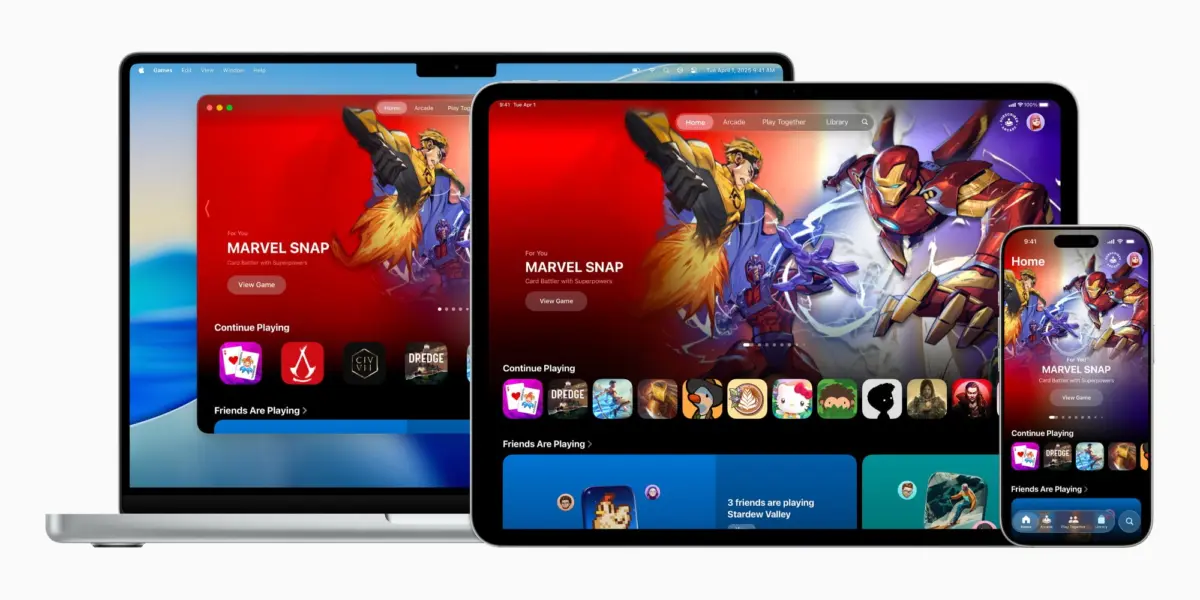
The landscape of mobile entertainment has shifted dramatically over the last decade. What once began as a casual diversion of puzzle pieces and match-three grids has evolved into a powerhouse of high-fidelity, AAA gaming experiences, alongside a thriving community of social and independent players. Recognizing this maturation, Apple introduced a dedicated, system-level gaming hub with the release of iOS 26: Apple Games.
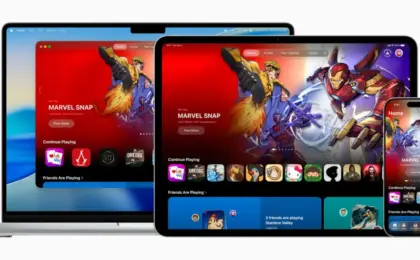
Designed to unify the fragmented experience of discovering, playing, and sharing titles across the Apple ecosystem, the Games app acts as a centralized dashboard for iPhone, iPad, and Mac users. Whether you are a casual player checking in on a daily puzzle or a hardcore enthusiast streaming console-grade graphics via a wireless controller, the application attempts to streamline the entire interactive media journey.
This deep dive explores the architecture, core features, recent updates—including critical optimizations rolled out in iOS 26.2—and the broader strategic implications of Apple’s unified gaming command center.
Detailed Chronology of Apple’s Gaming Hub
The Genesis and Announcement
For years, Apple’s approach to gaming was distributed across the App Store—with its separate editorial tabs—and Game Center, which operated quietly in the background as an achievement and multiplayer matchmaking layer. While functional, this setup lacked a cohesive, dedicated space that celebrated gaming as a primary pillar of the Apple ecosystem.
That changed during Apple’s major software showcase, where executives pulled back the curtain on iOS 26. Among the headline features was the confirmation of two brand-new, native applications built into the home screen experience. The most anticipated of these was Apple Games, described by Cupertino officials as "a personalized home for games and playing with friends."
Rather than forcing users to dig through the App Store’s promotional pages to find updates, events, or social challenges, the Games app was positioned as a persistent, interactive lounge.
Evolution through iOS 26 Updates: The Arrival of 26.2
Apple did not simply release the app and leave it untouched; the platform has rapidly iterated through minor point releases. The release of iOS 26.2 introduced crucial quality-of-life enhancements that transformed the utility of the app, particularly for power users and hardware-accessory enthusiasts.
- Expanded Library Filtering: Recognizing that mobile gamers often accumulate dozens of titles ranging from Apple Arcade exclusives to traditional App Store downloads, iOS 26.2 brought vastly improved sorting and filtering tools to the Library tab. Users can now categorize titles by genre, offline availability, controller support, and completion status.
- Complete Controller Navigation: Prior to iOS 26.2, navigating software menus while a hardware controller was paired often forced users to resort to touch inputs. The latest update introduced comprehensive, seamless controller support across the entirety of the Games app interface, enabling a fluid, console-like navigation experience from launch to gameplay.
Architecture and Core Features: Inside the App
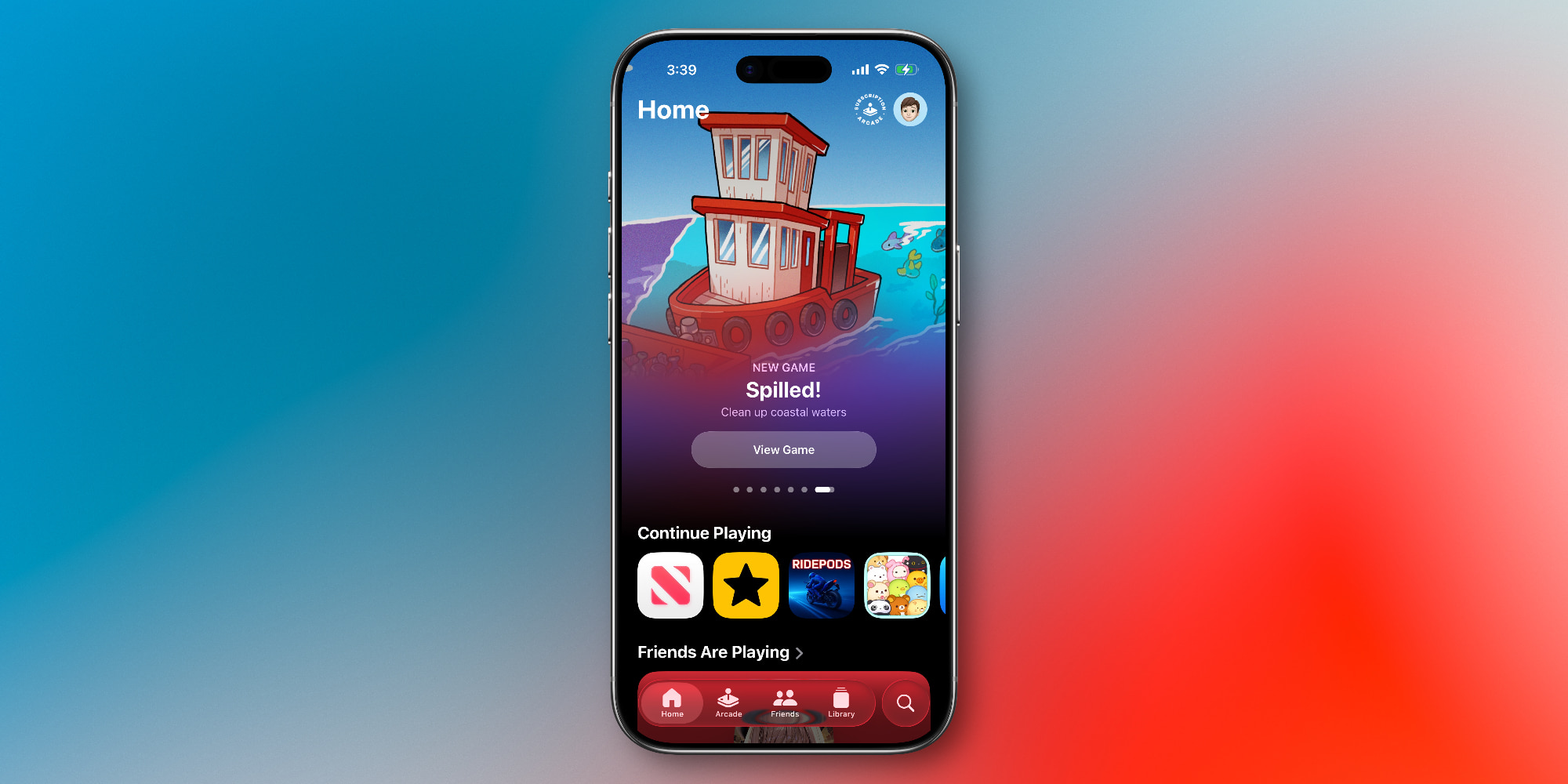
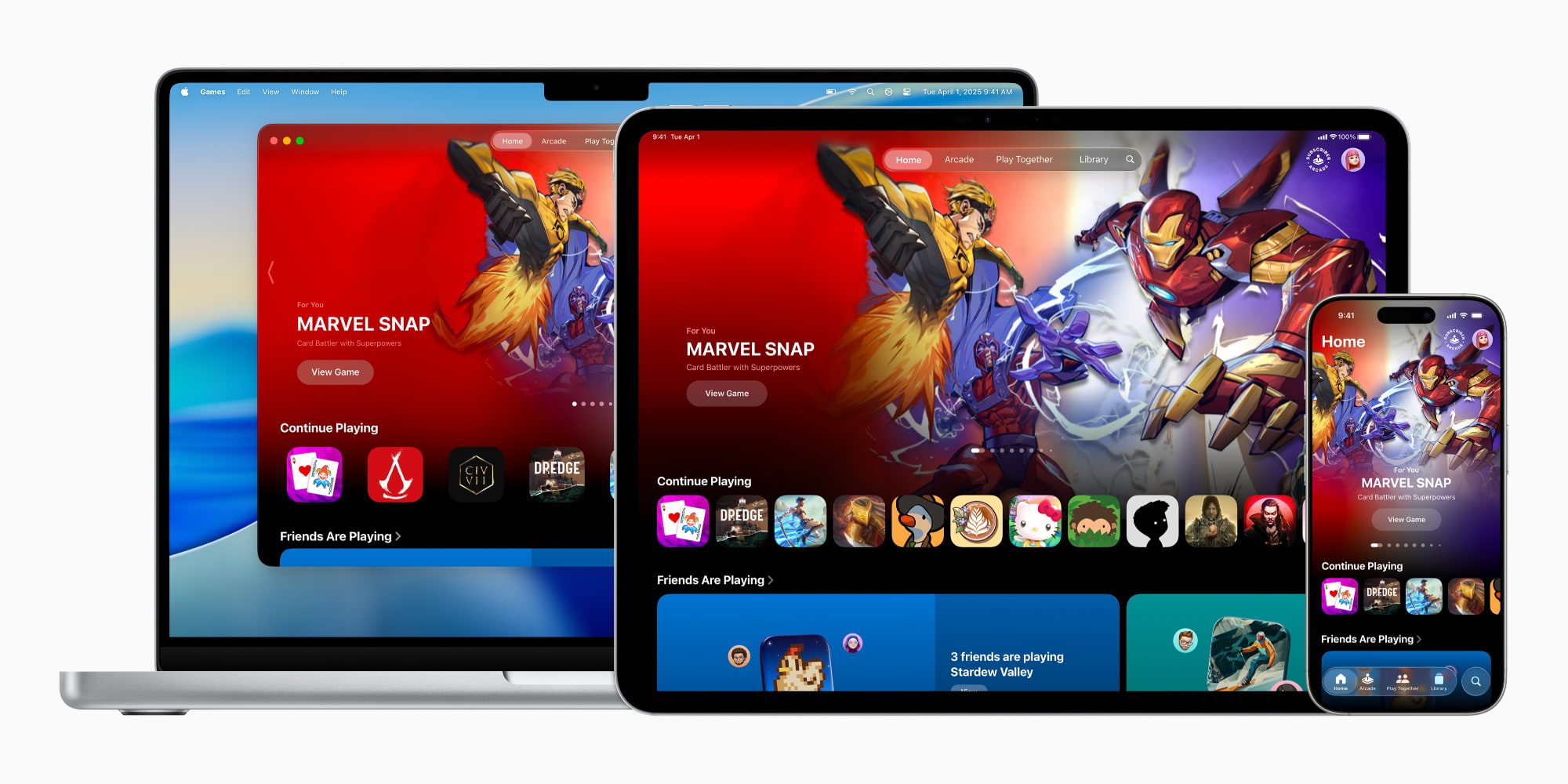
To understand how Apple Games operates day-to-day, it helps to examine its five distinct navigational pillars. Borrowing design cues from successful media hubs like Apple TV, Apple Music, and Apple Podcasts, the layout prioritizes instant access, personalized discovery, and social connectivity.
+-----------------------------------------------------------------+
|                       APPLE GAMES APP                           |
+-------------+-------------+-------------+-------------+-----------+
|    HOME     |   ARCADE    |   FRIENDS   |   LIBRARY   |  SEARCH   |
| Quick jump  | 200+ ad-free| Game Center | Installed   | Genres,   |
| back to     | titles &    | activity &  | games,      | categories|
| recent play | subscriptions| challenges | sorting     | & queries |
+-------------+-------------+-------------+-------------+-----------+
1. The Home Tab: Your Digital Living Room
If you have ever used Apple TV or Apple Music, the Home tab will feel immediately intuitive. It functions as a dynamic dashboard tailored to your personal habits.
- Resume Play: Front and center are quick-launch shortcuts to the titles you have been playing most recently, minimizing the friction between unlocking your device and getting back into the action.
- Tailored Recommendations: Algorithms suggest new titles based on your library history, play duration, and genre preferences.
- Social Activity Ticker: A quick snapshot highlights what your Game Center friends have been playing, allowing you to jump straight into shared digital worlds.
2. Arcade: The Subscription Ecosystem
The Arcade tab is dedicated entirely to Apple Arcade, the tech giant’s premium gaming subscription service. For a flat monthly fee—either as a standalone subscription or bundled within the comprehensive Apple One package—users gain unlimited access to a curated catalog of over 200 games. Crucially, every title in the Arcade tab is guaranteed to be entirely free of advertisements, upfront paywalls, and in-app purchase mechanics, making it a safe and predictable environment for families and purists alike.
3. Friends: Social Gaming and Challenges
Moving beyond silent high scores, the Friends tab brings Game Center to the forefront of the mobile experience.
- Activity Feeds: See when friends unlock specific achievements, beat personal records, or join multiplayer sessions.
- Direct Challenges: The app makes it remarkably easy to throw down the gauntlet, allowing you to send direct gaming challenges to friends with a single tap, fostering a healthy, competitive ecosystem.
4. Library: Organization and Achievement Tracking
For many users, the Library tab will quickly become the most visited section of the application. It aggregates every game currently installed across your iPhone (and syncing seamlessly across supported ecosystem devices).
- Advanced Filtering: Thanks to the iOS 26.2 updates, you can filter your collection by criteria such as genre, controller compatibility, and local versus cloud storage usage.
- Progress Tracking: Detailed breakdowns of unlocked achievements, in-game event participation, and milestone trackers keep completionists informed without requiring third-party companion apps.
5. Search & Discovery
Finally, the Search tab goes beyond a basic text query box. It acts as an exploratory portal divided into rich categorical hubs:
- Multiplayer
- Action & Adventure
- Family & Kids
- Puzzle & Strategy
- Music & Rhythm
This ensures that whether a user is looking for a quick, five-minute brain teaser or an immersive, multi-hour storytelling campaign, they can drill down into specific sub-genres instantly.
Supporting Context and Metrics: The State of Mobile Gaming
To fully appreciate why Apple invested engineering capital into a native gaming app, one must examine the macroeconomic and cultural weight of mobile gaming today.
- Market Dominance: Mobile gaming generates more revenue globally than console and PC gaming combined. The iPhone represents a disproportionate share of high-spending mobile consumers, making iOS a premier platform for developers.
- The Rise of AAA on Mobile: With the introduction of silicon chips featuring hardware-accelerated ray tracing (such as the A-series Pro processors), iPhones are no longer restricted to casual 2D puzzle games. Titles requiring sophisticated graphics pipelines, complex physics engines, and external gamepad support are increasingly common on iOS.
- The Fragmentation Problem: Historically, finding these disparate types of games—ranging from hyper-casual free-to-play apps to premium console ports and Apple Arcade releases—required navigating the sprawling, general-purpose App Store. By carving out a specialized entertainment district, Apple has solved a major discoverability bottleneck.
Official Statements and Industry Perspective
Apple has framed the release of the Games app not merely as an organizational tool, but as a commitment to the global developer and player community.

In the initial corporate press release introducing the software, Apple highlighted the philosophy behind the design:
"Our goal has always been to make the iPhone the best and most accessible gaming device on earth. With the Apple Games app, we are creating a dedicated home that celebrates play, connects friends through shared competition, and makes discovering phenomenal experiences easier than ever before."
Industry analysts have largely praised the move, noting that while the underlying games and services are not entirely new, framing them within a dedicated application drastically improves user retention and ecosystem stickiness. By elevating gaming to the same status as music, television, and podcasts, Apple has signaled that interactive entertainment is a cornerstone of its hardware and software roadmap for the foreseeable future.
Future Outlook
As iOS 26 matures and developers continue to optimize their libraries for Apple’s hardware ecosystem, the Games app is poised to become an even more critical touchpoint.

Future iterations are widely expected to deepen cloud-sync capabilities, enhance live-streaming integrations for competitive players, and expand cross-platform continuity between iOS, iPadOS, macOS, and visionOS. Furthermore, as developers experiment with spatial computing and advanced haptic feedback, the central hub will need to evolve to showcase new paradigms of play.
Summary Verdict
Your reliance on the Apple Games app will ultimately depend on your gaming habits. For casual users, the app serves as a clean, ad-free portal to recommendations and light social tracking. For power users, the refined library filters, controller-first navigation implemented in iOS 26.2, and streamlined Game Center challenges make it an indispensable command center.
While much of its underlying content remains accessible via the traditional App Store, the curation, presentation, and social integration provided by Apple Games elevate it from a simple folder replacement to a true platform essential.






Belum ada komentar. Jadilah yang pertama berkomentar!