

Executive Overview
Mobile gaming has long occupied a paradoxical space within the broader technology and entertainment industries. On one hand, the smartphone is arguably the most ubiquitous gaming device on the planet, reaching billions of users across every demographic, spanning everything from casual match-three puzzle titles to graphically intensive, high-budget AAA blockbusters. On the other hand, the management of these digital experiences has historically been decentralized and somewhat fragmented. Users relied heavily on the traditional App Store—a massive, commerce-driven marketplace designed for discovering all software, from productivity suites to banking apps—to find, update, and organize their entertainment.
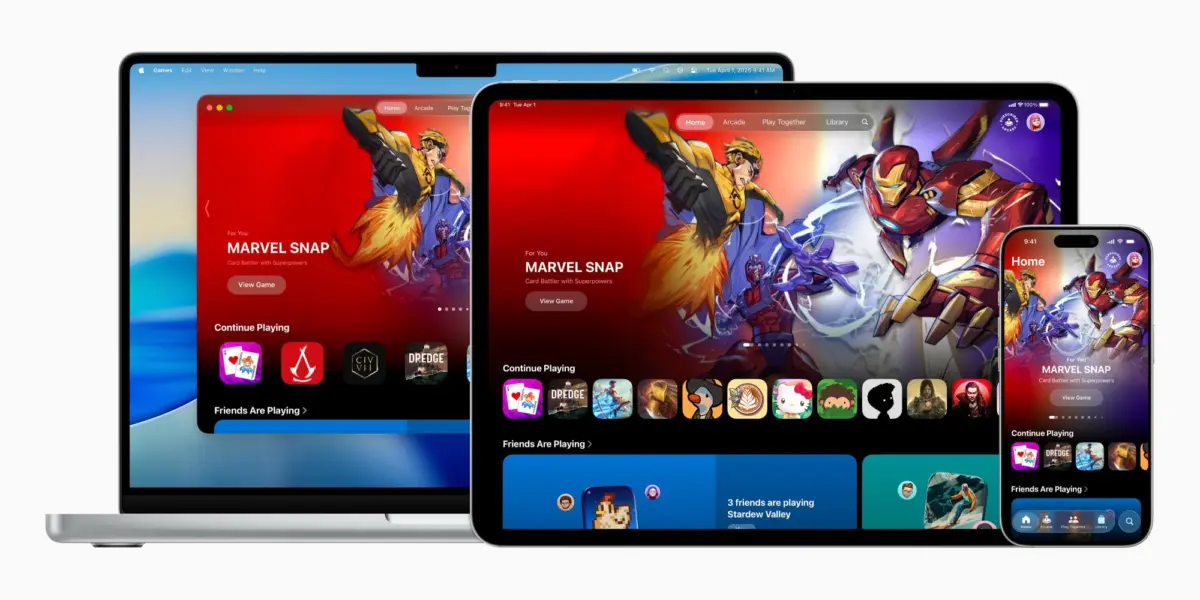
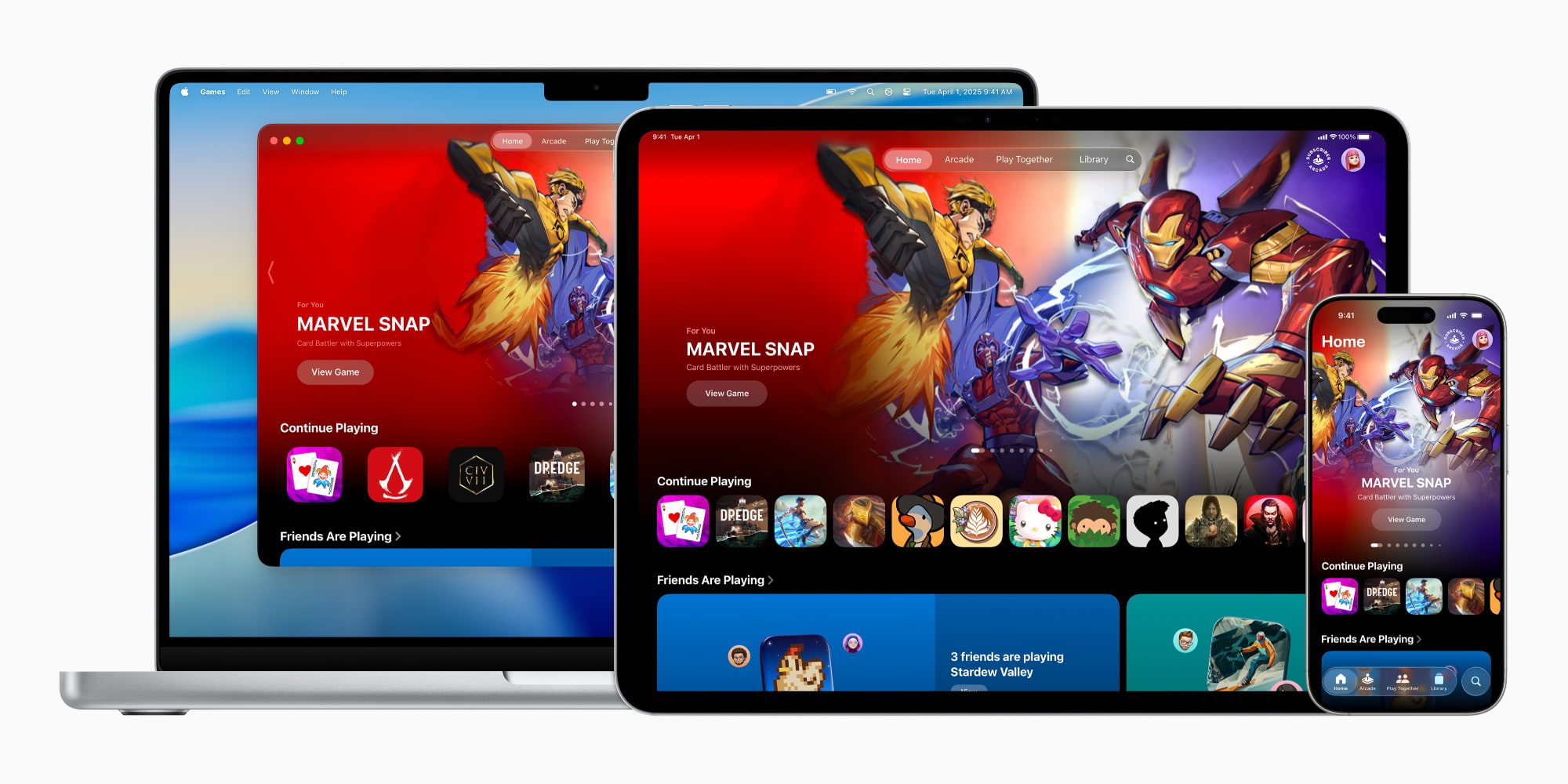
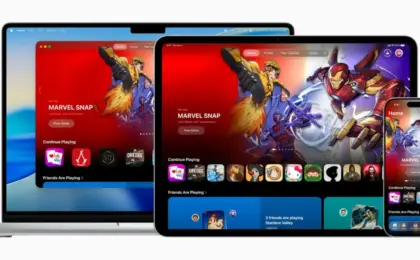
With the release of iOS 26, Apple has fundamentally restructured how users interact with interactive media across its entire ecosystem. Spearheaded by the introduction of the dedicated Apple Games app—available natively on iPhone, iPad, and Mac—the Cupertino giant has established a centralized, personalized nexus for digital entertainment. Billed as a unified home for both standalone titles and the growing Apple Arcade subscription service, the Games app seeks to solve long-standing organizational hurdles while introducing robust social mechanisms reminiscent of dedicated console dashboards.
This comprehensive report examines the genesis, core architecture, and evolving feature set of the Apple Games app—highlighting crucial quality-of-life adjustments introduced in subsequent software iterations like iOS 26.2. Furthermore, we analyze what this strategic pivot signifies for developers, casual players, and hardcore mobile enthusiasts alike.
Detailed Chronology: From App Store Fragment to Dedicated Hub
To understand the significance of the iOS 26 Games app, one must trace the evolutionary path Apple has taken regarding gaming hardware and software over the past decade. For years, Apple treated games as just another vertical within the broader App Store architecture. While this strategy successfully fueled the early boom of mobile casual gaming, the maturation of mobile hardware—culminating in devices capable of running complex ray-traced console ports—exposed the limitations of a commerce-first discovery model.
The Milestones Leading to iOS 26
- 2019 (The Launch of Apple Arcade): Recognizing a desire for curated, premium experiences free from aggressive monetization schemes, Apple introduced Apple Arcade. While successful in gathering a loyal subscriber base, the service largely lived inside a specialized tab within the App Store, keeping it tethered to a digital storefront rather than an interactive gaming community space.
- The Hardware Push (A-Series and M-Series Silicon): Over successive hardware cycles, Apple heavily promoted the graphical capabilities of its iPhone Pro models and M-powered iPads and Macs. APIs like Metal, coupled with hardware-accelerated ray tracing, attracted major publishing studios to bring console-quality franchises to iOS and macOS. However, software management tools lagged behind raw computational power.
- June 2025 (The Official Announcement): During Apple’s annual developer conference cycle, the company officially pulled back the curtain on a brand-new, standalone application designed entirely around interactive entertainment. Billed as a "personalized home for games and playing with friends," the software was slated for integration into the upcoming major operating system update.
- Late 2025 to Early 2026 (The iOS 26 Rollout and iOS 26.2 Refinements): Upon its public deployment, the Games app immediately established itself as a home screen fixture. Subsequent minor updates, notably iOS 26.2, introduced critical user-experience enhancements, including expanded library filtering tools and comprehensive game controller navigation support, transforming the app from a simple dashboard into a fully functional, couch-friendly gaming interface.
Architecture and Core Features: Inside the Games App
For users accustomed to Apple’s media curation apps—such as Apple TV, Apple Music, Apple Books, and Apple Podcasts—the interface of the Games app will feel immediately intuitive. By segregating interactive entertainment from the transactional environment of the App Store, Apple has created a sanctuary focused entirely on play, engagement, and discovery.
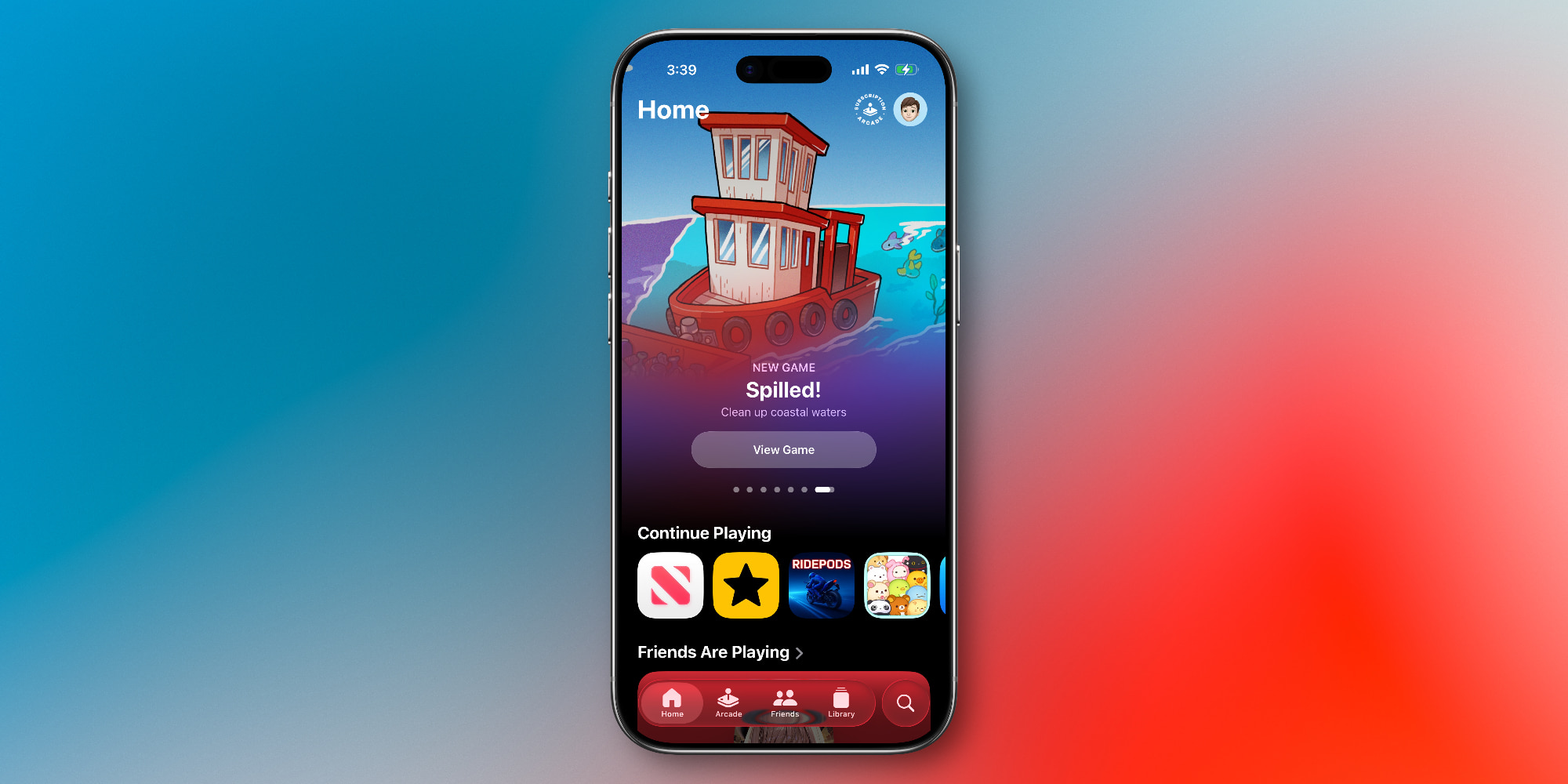
Upon launching the application on iOS 26, users are greeted by a clean, responsive layout categorized into five primary tabs: Home, Arcade, Friends, Library, and Search.
+-----------------------------------------------------------------+
|                        APPLE GAMES APP                          |
+------------+------------+------------+------------+-------------+
|    HOME    |   ARCADE   |  FRIENDS   |  LIBRARY   |   SEARCH    |
| Quick jump | Curated    | Game       | Advanced   | Multi-genre |
| to recent  | catalog &  | Center     | filtering, | discovery & |
| titles     | sub-info   | activity   | metadata   | categories  |
+------------+------------+------------+------------+-------------+
1. The Home Tab: The Dynamic Dashboard
Serving as the primary landing page, the Home tab utilizes algorithmic curation and personalized metrics to provide a frictionless re-entry point into a user’s gaming habits. It surfaces recently played titles alongside intelligent recommendations for new software tailored to historical playtimes. Furthermore, it offers a snapshot of current friend activity, bridging the gap between solitary device usage and social connectivity.
2. The Arcade Tab: Curated Premium Content
Dedicated entirely to Apple Arcade, this section acts as a portal to the service’s catalog of over 200 titles. Because Apple Arcade operates on a flat-fee subscription model—available either as a standalone charge or bundled via Apple One—this tab eliminates the friction of in-app purchases and advertisements, emphasizing pure, uninterrupted gameplay.
3. The Friends Tab: Revitalizing Game Center
Social integration has historically been a weak point for mobile ecosystems compared to dedicated consoles like the PlayStation or Xbox. The Friends tab attempts to rectify this by centralizing Game Center activity. Users can view achievements, track what their connections are currently playing, and instantly initiate friendly challenges, breathing new life into Apple’s long-standing social gaming network.
4. The Library Tab: Granular Organization
For power users with dozens of titles installed across their device storage, the Library is arguably the most valuable addition. It aggregates every installed game into a single view. Thanks to improvements introduced in iOS 26.2, the Library features robust filtering options, allowing players to sort software by genre, controller support, offline playability, and achievement completion rates. Game-specific events and historical milestones are also housed here.
5. The Search Tab: Beyond Simple Keywords
While the Search tab handles traditional text-based queries, its true power lies in categorical browsing. Users can filter exploration by specific tags—such as Multiplayer, Action, Family, Puzzle, and Music—allowing for more nuanced discovery than a standard keyword search could ever provide.
Supporting Context, Metrics, and Quality-of-Life Updates
The rollout of iOS 26.2 brought vital optimizations that elevated the Games app from a mere aesthetic folder replacement to a genuinely powerful tool for modern gamers.
Controller Navigation Integration
One of the most praised hardware-software synergies introduced in recent updates is full native navigation support for game controllers within the app itself. Historically, users connecting a PlayStation, Xbox, or MFi-certified controller to an iPad, iPhone, or Mac would inevitably have to interrupt their immersion to touch the screen whenever they needed to switch games or browse menus.
With iOS 26.2, the Games app can be navigated entirely via hardware inputs (D-pads, thumbsticks, and face buttons). This seamless transition from dashboard to gameplay underlines Apple’s ambition to position its hardware lineup as legitimate alternatives to traditional gaming consoles.
Storage and Library Management Metrics
As mobile titles grow in scope—with some open-world role-playing games and high-end shooters easily exceeding 20 to 30 gigabytes of local storage—device management becomes paramount. Industry telemetry indicates that the average iOS power user retains between 15 and 30 distinct titles on their device at any given time, spanning casual puzzle games, arcade titles, and graphically intensive ports. The metadata filtering tools introduced in the iOS 26.2 library update allow users to quickly identify dormant software taking up valuable solid-state storage, streamlining device maintenance.
Official Perspectives and Industry Reception
Apple’s official stance, detailed in its launch press releases, emphasizes the desire to honor the massive scale of the mobile gaming community while providing tools that make discovery feel personal and social.

"The iPhone is home to the world’s most vibrant and diverse gaming community," corporate representatives noted during the initial platform reveal. "With the Apple Games app, we are creating a dedicated space that celebrates play, connects friends through shared challenges, and makes discovering your next favorite game simpler and more enjoyable than ever before."
Independent critics and software developers have largely welcomed the shift. Game developers, in particular, have praised the decoupling of game discovery from the general App Store. In an ecosystem saturated with utility applications, financial tools, and productivity software, games often had to fight for visibility against algorithmic trends tailored to commerce rather than entertainment. A dedicated gaming portal levels the playing field, offering curated editorial spotlights, developer deep-dives, and event notifications that target a pre-qualified audience of active players.
However, industry analysts note that the long-term success of the app will depend heavily on Apple’s commitment to maintaining active community features and continuing to court major AAA developers to ensure the platform has a steady pipeline of premier software.
Future Outlook: What Lies Ahead for Apple Gaming
As we look beyond the initial deployment of iOS 26 and its subsequent maintenance cycles, the Apple Games app establishes a clear foundational infrastructure for future hardware and software innovations.

- Hardware Convergence: With Apple silicon powering everything from entry-level iPhones to high-end Mac Studios, the unified nature of the Games app points toward a future where cross-platform progression and universal game libraries become completely frictionless. A game started on an iPhone during a commute can be seamlessly picked up on an iPad or Mac at home, utilizing the same dashboard architecture.
- Enhanced Social Play: As Game Center features continue to mature within the dedicated app framework, industry watchers anticipate deeper integration with spatial computing platforms like Apple Vision Pro, bridging traditional 2D mobile gaming with immersive, spatial interactive environments.
- Developer Ecosystem Growth: By providing an authoritative, native hub for games, Apple is signaling to the global development community that the company views its ecosystem as a premier destination for high-end interactive entertainment. This psychological shift may encourage more major studios to invest in native Metal optimizations rather than relying solely on cloud-streaming alternatives.
Conclusion
The introduction of the Apple Games app in iOS 26 represents a mature, thoughtful acknowledgment of how deeply ingrained gaming has become in the modern digital lifestyle. By moving away from a purely transactional, commerce-locked discovery model and embracing a dedicated, feature-rich social and organizational hub, Apple has significantly elevated the user experience across iPhone, iPad, and Mac.
Whether utilized as a casual portal for quick puzzle sessions or a comprehensive dashboard managed via physical game controllers, the Games app successfully unifies Apple’s gaming ecosystem, setting a high standard for mobile software organization in the years to come.






Belum ada komentar. Jadilah yang pertama berkomentar!