

Executive Overview
For many personal computer enthusiasts and everyday system builders, the routine task of executing a BIOS (Basic Input/Output System) update is approached with a mixture of dread and caution. The fear of a sudden power outage bricking a motherboard or an interrupted flash sequence rendering expensive hardware useless is a well-documented anxiety within the tech community. However, ignoring these fundamental firmware patches can leave systems perilously exposed to sophisticated threats.
In a newly published security advisory, hardware titan Asus has strongly urged users of specific 8th and 9th Generation Intel-compatible motherboards to immediately download and apply the latest BIOS updates. The emergency patch addresses a high-severity security vulnerability—cataloged officially as CVE-2026-93495—which carries a concerning CVSS severity score of 7.0.
While the exploit requires physical proximity to the target machine, meaning an attacker must have direct, hands-on access to the device to execute the exploit via a specially crafted storage medium or hardware device, the implications are severe. The flaw could allow unauthorized reading or writing of arbitrary system memory, bypassing standard operating system-level security controls. Given the ubiquity of these older yet enduring Intel platforms in gaming rigs and productivity workstations alike, system administrators and independent users are being put on high alert to secure their hardware immediately.
Detailed Chronology of the Vulnerability and Response
The discovery and subsequent disclosure of CVE-2026-93495 highlight the ongoing challenges hardware manufacturers face in securing legacy platforms against modern vector-based attacks.
The Discovery Phase
Security researchers analyzing low-level firmware initialization routines identified a critical flaw rooted in how specific Asus motherboards initialize hardware components during the boot process. Specifically, the advisory describes the vector as an "improper initialization in an ASUS certain motherboard [sic] [that] allows a physically proximate user to read or write arbitrary memory by inserting a specially crafted device."
Unlike remote code execution (RCE) vulnerabilities that can be triggered across the internet via malicious web traffic or compromised network services, CVE-2026-93495 demands physical presence. An attacker must have direct, local access to the machine—such as in an office environment, a shared laboratory, or an unmonitored home setting—to plug in a malicious device designed to exploit the initialization flaw.
Despite this local requirement, security experts rate the vulnerability as high-severity due to the depth of access it grants. By manipulating arbitrary memory spaces at the firmware level, an attacker could theoretically extract sensitive encryption keys, inject persistent malware into the system firmware, or establish stealthy backdoors that survive clean operating system reinstalls.
The Vendor Response
Following coordinated disclosure protocols, Asus engineering teams developed, tested, and validated targeted BIOS updates for the affected product families. On the day of the advisory’s release, the company updated its official security portal and pushed out advisory bulletins, issuing a strong recommendation for all owners of the impacted Intel 300-series chipset motherboards to update their systems without delay.
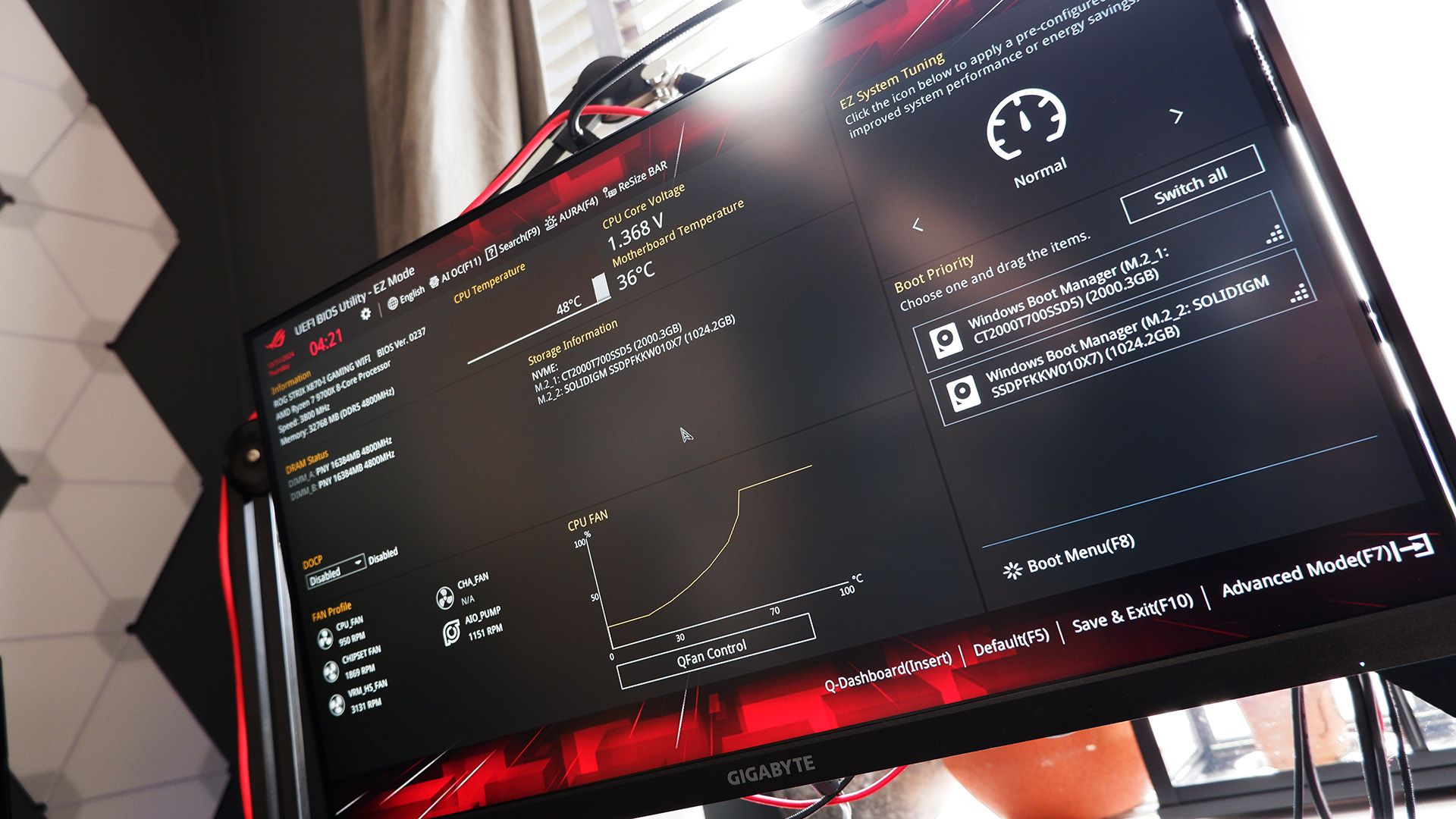
The remediation path involves flashing the motherboard with a newly designated firmware version that corrects the initialization logic flaw, closing the backdoor that allowed arbitrary memory manipulation.
Affected Hardware Matrix and Remediation Steps
The vulnerability primarily impacts motherboards built around Intel’s 300-series chipsets, designed to support 8th Generation (Coffee Lake) and 9th Generation Intel Core processors. This includes several prominent enthusiast-grade product lines, notably models from the ROG (Republic of Gamers) Strix and ROG Maximus lineups, as well as high-end enterprise and workstation boards.
Comprehensive List of Affected Motherboards and Fixed BIOS Versions
To assist users in identifying whether their hardware is at risk, the following matrix details the affected motherboard models, the vulnerable BIOS versions, and the corresponding fixed versions released by Asus:
| Motherboard Model | Affected BIOS Versions | Fixed BIOS Version |
|---|---|---|
| PRIME Z390-A | Through 2101 | 2203 |
| PRIME Z390-A/H10 | Through 2101 | 2203 |
| ROG MAXIMUS XI HERO | Through 2101 | 2203 |
| ROG MAXIMUS XI HERO (WI-FI) | Through 2101 | 2203 |
| ROG MAXIMUS XI FORMULA | Through 2101 | 2203 |
| ROG MAXIMUS XI CODE | Through 2101 | 2203 |
| ROG MAXIMUS XI EXTREME | Through 2101 | 2203 |
| ROG MAXIMUS XI APEX | Through 2101 | 2203 |
| ROG MAXIMUS XI GENE | Through 2101 | 2203 |
| ROG STRIX Z390-E GAMING | Through 2101 | 2203 |
| ROG STRIX Z390-F GAMING | Through 2101 | 2203 |
| Pro WS C246-ACE | Through 2101 | 2203 |
| WS Z390 PRO | Through 1401 | 1502 |
Step-by-Step Instructions for Applying the Fix
Updating a motherboard’s BIOS should always be approached methodically to minimize risk. Users can secure their systems by following these structured steps:
- Verify Your Motherboard Model and Current BIOS: Open the Windows System Information tool (
msinfo32) or enter your current BIOS utility during system startup to check your exact motherboard model and active BIOS version. - Download the Correct Firmware: Navigate to the official Asus Support Center, input your precise motherboard model name, and locate the latest BIOS update listed in the matrix above. Ensure you download the file corresponding strictly to your hardware revision.
- Prepare a USB Flash Drive: Extract the downloaded BIOS file onto a clean USB flash drive formatted to the FAT32 file system.
- Execute the Update: Restart your computer, enter the BIOS/UEFI setup utility, and navigate to the flashing tool (such as Asus EZ Flash). Select the firmware file from your USB drive and initiate the update process. Crucially, do not turn off the PC or interrupt power during the flashing sequence.
- Alternative Update Methods: Users who prefer software-based management can also consult Asus’s official guides for updating the BIOS directly via Windows environments, though physical UEFI flashing remains the industry gold standard for reliability.
Supporting Context, Metrics, and Wider Ecosystem Concerns
The release of CVE-2026-93495 does not exist in a vacuum; it arrives amid a broader pattern of firmware and software vulnerabilities affecting major hardware vendors. Maintaining comprehensive system security requires looking beyond just the core BIOS to associated utility software.
The Software Supply Chain Vulnerability
In addition to core hardware-level vulnerabilities, Asus ecosystem software has faced increased scrutiny. Earlier this year, security analysts flagged multiple high-severity vulnerabilities within Asus Armoury Crate and companion software tools. These utility platforms—often running with elevated privileges within the operating system to monitor hardware telemetry, manage RGB lighting, and apply system overclocks—have occasionally introduced secondary vectors for privilege escalation.
Security analysts strongly advise users who maintain Asus hardware to not only update their motherboard BIOS but also audit their installed utility software. Ensuring that programs like Armoury Crate, AI Suite, and related peripheral management tools are running their latest patched iterations is vital to closing off system-level entry points.
The Longevity of Legacy Hardware
The fact that Asus is actively releasing security patches for Intel 8th and 9th Generation platforms—hardware that originally launched in 2017 and 2018 respectively—underscores a positive shift in vendor responsibility. While many consumers eventually migrate to newer generations (such as Intel’s 12th, 13th, 14th, or Core Ultra series, or AMD’s Ryzen platforms), millions of functional gaming and workstation PCs remain anchored to Z390 and corresponding C246 platforms. Supporting these older architectures against newly discovered hardware-level threats ensures that legacy systems do not become silent vectors for enterprise or domestic network breaches.
Official Statements and Industry Guidance
While hardware manufacturers typically keep advisories concise to focus purely on remediation steps, industry cybersecurity watchdogs have emphasized the cascading nature of firmware vulnerabilities.
Cybersecurity analysts note that physical-access vulnerabilities are frequently underestimated by casual users who assume that "if someone can’t touch my computer, I am safe." However, in environments such as shared university labs, open-plan offices, LAN parties, or even households with visiting guests, physical exposure is a genuine risk vector. An attacker with momentary, unattended access to a machine could theoretically insert a malicious USB controller or device configured to execute the memory-mapping exploit, compromising the system before the operating system even begins to load.
Consequently, security compliance frameworks increasingly mandate that firmware updates be treated with the same urgency as operating system security patches.
Future Outlook: Securing the Boot Chain
As computing architectures evolve, the hardware industry is placing a heightened emphasis on hardware-rooted trust models, secure boot chains, and silicon-level isolation to mitigate vulnerabilities like CVE-2026-93495. Technologies such as Intel Boot Guard, Trusted Platform Modules (TPM 2.0), and virtualization-based security (VBS) aim to make firmware-level tampering exponentially more difficult.
However, until these hardware mitigations are universally adopted and backward-compatible architectures are fully phased out, manual firmware updates remain an unavoidable reality for system maintenance.
Action Item for Users: If your system utilizes any of the Asus Z390, ROG Maximus XI, ROG Strix Z390, or Pro WS C246 motherboards listed in the advisory, set aside time this week to download the patched BIOS version. A few minutes spent updating your UEFI firmware ensures that your legacy Intel rig remains fortified against modern physical-access exploits.









Belum ada komentar. Jadilah yang pertama berkomentar!