

Executive Overview
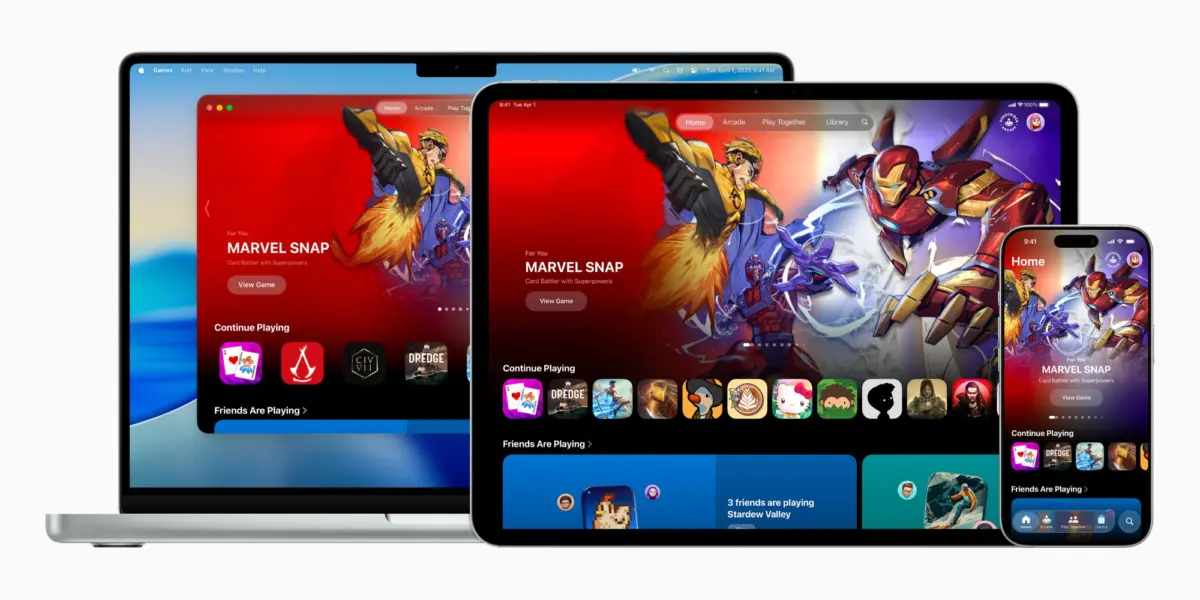
The arrival of iOS 26 marked a watershed moment for the world’s most ubiquitous gaming platform: the iPhone. While Apple has historically treated gaming as a lucrative vertical nestled securely within the broader architecture of the App Store, the introduction of a dedicated, native application—simply titled Apple Games—signals a profound shift in corporate strategy. No longer content to act merely as a digital storefront, Apple is aggressively positioning itself as a central curator, social hub, and performance optimizer for players across its entire ecosystem, spanning the iPhone, iPad, and Mac.
Designed to serve as a unified command center, the Apple Games app consolidates fractured digital experiences. It brings together recently played titles, personalized recommendations, Apple Arcade integrations, and robust Game Center social features into a singular interface. Furthermore, subsequent incremental updates—culminating in the recent rollout of iOS 26.2—have refined the application, introducing powerful library-filtering tools, enhanced controller navigation, and deeper cross-device synchronization.
This comprehensive analysis investigates the structural architecture of the Apple Games app, explores its five core navigational pillars, analyzes its strategic implications for the mobile gaming industry, and evaluates how recent updates like iOS 26.2 have elevated the user experience from a superficial novelty to an indispensable utility for modern gamers.

Detailed Chronology: From App Store Submenu to Native Hub
To fully understand the gravity of iOS 26’s Games app, one must trace the historical trajectory of gaming within the Apple ecosystem. For over a decade and a half, the App Store was the undisputed alpha and omega of iOS gaming. Users searching for titles relied entirely on curated editorial lists, top charts, and keyword searches within the massive marketplace. Game Center, meanwhile, operated largely in the background as a fragmented social layer, handling achievements, leaderboards, and multiplayer matchmaking without a tangible, user-facing home screen presence.
The Genesis and Announcement
The conceptual groundwork for a dedicated gaming hub began materializing in developer circles throughout early 2025. Rumors coalesced in June 2025 when Apple officially pulled back the curtain during its Worldwide Developers Conference (WWDC) keynote, announcing that iOS 26 would introduce two brand-new native applications to the iPhone home screen. Among them, the Apple Games app was introduced as a "personalized home for games and playing with friends."
Apple’s executive team recognized an undeniable statistical reality: the iPhone was, by volume, the most popular gaming device on Earth. From casual, hyper-accessible match-three puzzles like Candy Crush to graphically intensive, big-budget AAA console ports, the platform catered to an unprecedented demographic span. However, navigating this vast ocean of content required a more sophisticated, dedicated interface.
The iOS 26.2 Iteration
Following the initial release of iOS 26 in late 2025, Apple engineers did not rest on their laurels. The subsequent release of iOS 26.2 introduced critical quality-of-life enhancements that transformed the application from a basic launcher into a powerhouse utility. Most notably, iOS 26.2 overhauled the Library tab with advanced filtering capabilities, allowing users with sprawling collections to easily categorize titles by genre, installation status, and completion metrics.
Simultaneously, iOS 26.2 addressed a long-standing pain point for power users: hardware controller integration. By introducing native, frictionless controller navigation within the Games app interface, Apple eliminated the tedious friction of constantly swapping between a physical gamepad and touch gestures just to browse menus.
Supporting Context & Metrics: The Anatomy of the Apple Games App
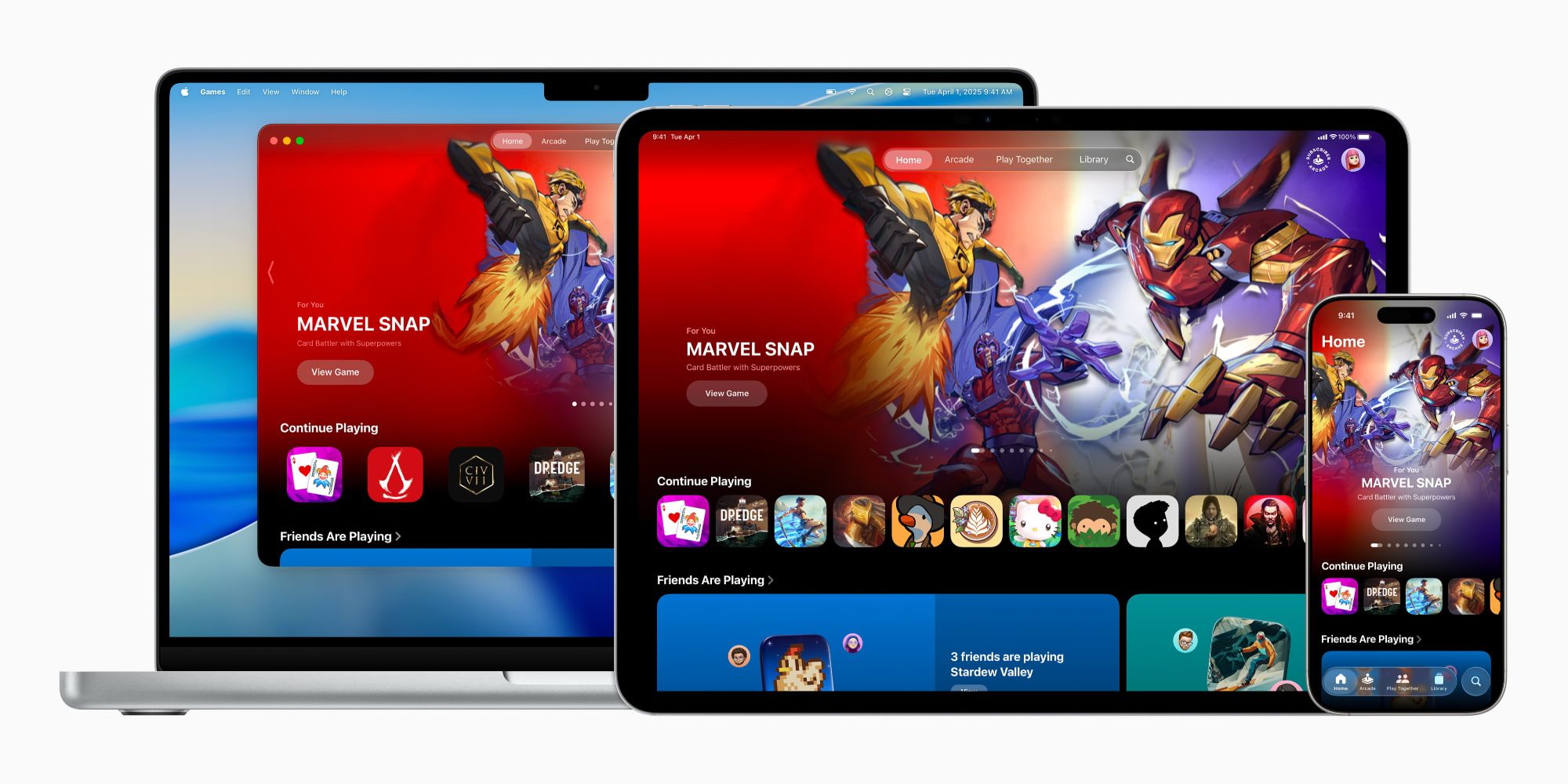
Upon opening the Apple Games app on iOS 26, veteran users of Apple’s ecosystem will immediately recognize a familiar design philosophy. Drawing heavy aesthetic and functional inspiration from dedicated media portals like Apple TV, Apple Music, Apple Books, and Apple Podcasts, the Games app organizes its interface into a clean, tile-based layout distributed across five distinct, bottom-anchored navigation tabs: Home, Arcade, Friends, Library, and Search.
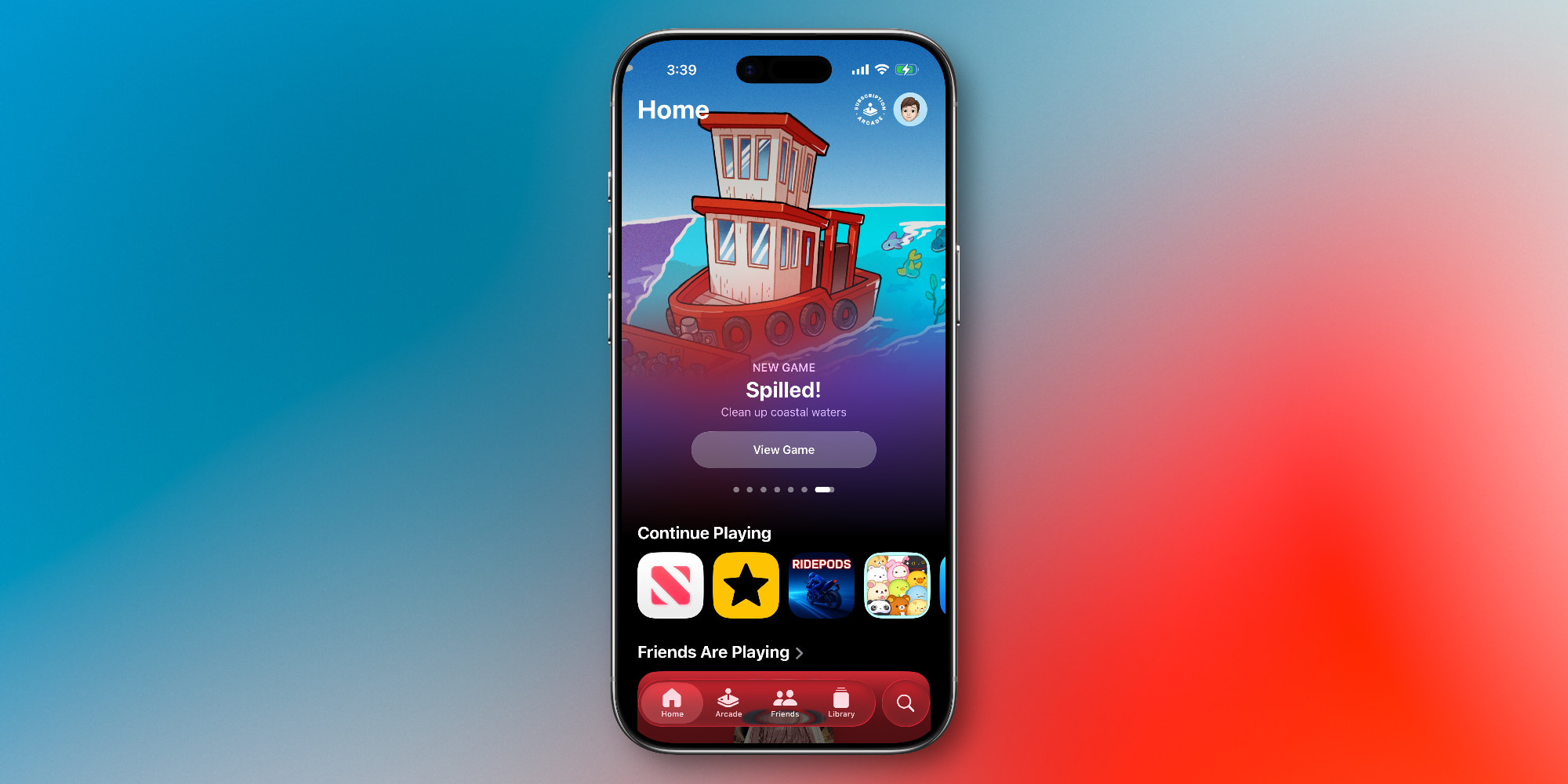
[ Apple Games App Architecture ]
 ├── Home (Recent activity, curated recommendations, social snapshots)
 ├── Arcade (Ad-free subscription catalog, over 200+ titles)
 ├── Friends (Game Center activity, direct challenges, multiplayer matchmaking)
 ├── Library (Local & cloud titles, advanced filters, achievements, events)
 └── Search (Global discovery, genre categorization: Action, Puzzle, Family, etc.)
1. The Home Tab: The Personal Dashboard
Serving as the primary landing page, the Home tab functions much like the Apple TV app’s "Watch Now" section. It offers an immediate, frictionless pathway back to titles the user has been actively engaging with. Beyond continuation prompts, the Home tab utilizes machine learning and user telemetry to surface personalized recommendations, promotional highlights for major content updates, and a curated snapshot of what friends within your Game Center network are currently playing.
2. The Arcade Tab: Premium Subscriptions front and center
Apple Arcade has remained a cornerstone of Apple’s gaming strategy since its inception, offering a curated library of over 200 games completely free of advertisements, disruptive in-app purchases, and data-tracking microtransactions. In the iOS 26 Games app, the Arcade tab acts as a dedicated storefront and discovery engine for the service. Users can seamlessly subscribe as a standalone service for $6.99 per month or bundle it alongside other Apple services through the comprehensive Apple One subscription tier.
3. The Friends Tab: Reinvigorating Game Center
For years, social gaming on iOS suffered from a lack of centralized visibility. The Friends tab revitalizes Game Center by bringing social graphs directly to the forefront. Users can view an aggregate overview of recent achievements, high scores, and activity feeds from their connected contacts. More importantly, the tab lowers the barrier to entry for competitive play, enabling users to instantly initiate direct gaming challenges and asynchronous multiplayer matches with a single tap.
4. The Library Tab: Organization for Power Users
As mobile storage capacities expand and users hoard dozens—sometimes hundreds—of applications, device management becomes paramount. The Library tab serves as the ultimate inventory tool for all games installed across the device. Bolstered significantly by the iOS 26.2 update, the Library features advanced filtering protocols, allowing players to sort titles by update history, genre, and offline capabilities. Furthermore, this tab houses comprehensive profiles for game achievements, unlocking global leaderboards, and tracking live in-game events.
5. The Search Tab: Granular Discovery
While the App Store remains the universal engine for downloading new software, the Search tab within the Games app is optimized explicitly for game discovery. Users can execute standard global queries or browse through meticulously organized categorical matrices. Whether hunting down fast-paced Action titles, brain-teasing Puzzle games, shared-screen Family experiences, or immersive Music rhythms, the Search tab streamlines the journey from curiosity to installation.
Official Statements and Strategic Vision
When Apple introduced the Games app in its official press release, company leadership emphasized that the software was built to acknowledge the maturation of mobile hardware. With devices like the iPhone 17 Pro featuring advanced ray-tracing capabilities, console-grade GPUs, and sophisticated thermal management systems, mobile gaming is no longer an afterthought—it is a primary pillar of modern entertainment.

"The iPhone has evolved into one of the most powerful and widely used gaming platforms in the world," noted Apple’s software engineering division during the initial iOS 26 rollout. "With the Apple Games app, we are creating a dedicated home that celebrates play, connects friends, and makes discovering great experiences easier than ever before, whether you are playing a quick puzzle on your commute or diving into an epic console-quality adventure on your iPad or Mac."
Industry analysts have interpreted this move as a direct challenge to competing platforms. By consolidating social structures, subscriptions, and game management into a native utility, Apple is subtly priming its user base for deeper investments in cloud gaming, cross-platform progression, and hardware accessories like third-party game controllers.
Future Outlook: Where Mobile Gaming Goes From Here
The introduction of the Games app in iOS 26 and its subsequent refinements in iOS 26.2 represent the foundation of a much larger strategy. As we look toward future iterations of iOS, several distinct vectors of growth are emerging for Apple’s gaming ecosystem:

- Deeper Cross-Platform Synergy: As Apple Silicon continues to bridge the architectural gap between iPhone, iPad, Mac, and Apple Vision Pro, the Games app is uniquely positioned to act as the universal syncing thread for cross-platform save states and universal purchases.
- Enhanced Social Infrastructure: While the Friends tab successfully surfaces Game Center activity, future updates are expected to introduce more robust communication tools, such as integrated voice parties, persistent text chat, and spectator modes.
- Hardware Integration: With the recent implementation of seamless controller navigation in iOS 26.2, Apple is signaling a long-term commitment to traditional gamers. We can anticipate deeper partnerships with hardware manufacturers like Backbone, Razer, and Sony/Microsoft to ensure first-class accessory support natively within the iOS interface.
Conclusion
The Apple Games app in iOS 26 is far more than a redundant shortcut to the App Store. By carefully segmenting library management, social challenges, and subscription services into a dedicated, beautifully designed native portal, Apple has validated mobile gaming as a first-class citizen of the Apple ecosystem.
For casual players who enjoy a daily word puzzle, the app provides a clean, clutter-free dashboard. For hardcore enthusiasts utilizing game controllers and managing vast digital libraries, updates like iOS 26.2 have turned the application into an indispensable command center. As Apple continues to iterate on this architecture, the Games app will undoubtedly remain a cornerstone of the iPhone experience for years to come.








Belum ada komentar. Jadilah yang pertama berkomentar!