

Executive Overview
For years, the macOS gaming community has occupied a frustrating purgatory regarding Fortnite, one of the world’s most popular battle royale titles. Following Epic Games’ high-profile, bitter antitrust legal battles with Apple in 2020, Fortnite was unceremoniously yanked from the iOS App Store and macOS ecosystem. For Mac owners, official paths to playing the game evaporated overnight.
To bridge this gap, Epic Games has historically directed Mac users toward cloud-based streaming platforms such as Xbox Cloud Gaming, Nvidia GeForce NOW, and Amazon Luna. While these services offer a functional workaround, they come with inherent compromises: input latency, compression artifacts, internet bandwidth dependency, and occasional queuing times. For competitive players and purists, streaming a game is a poor substitute for running code directly on local hardware.
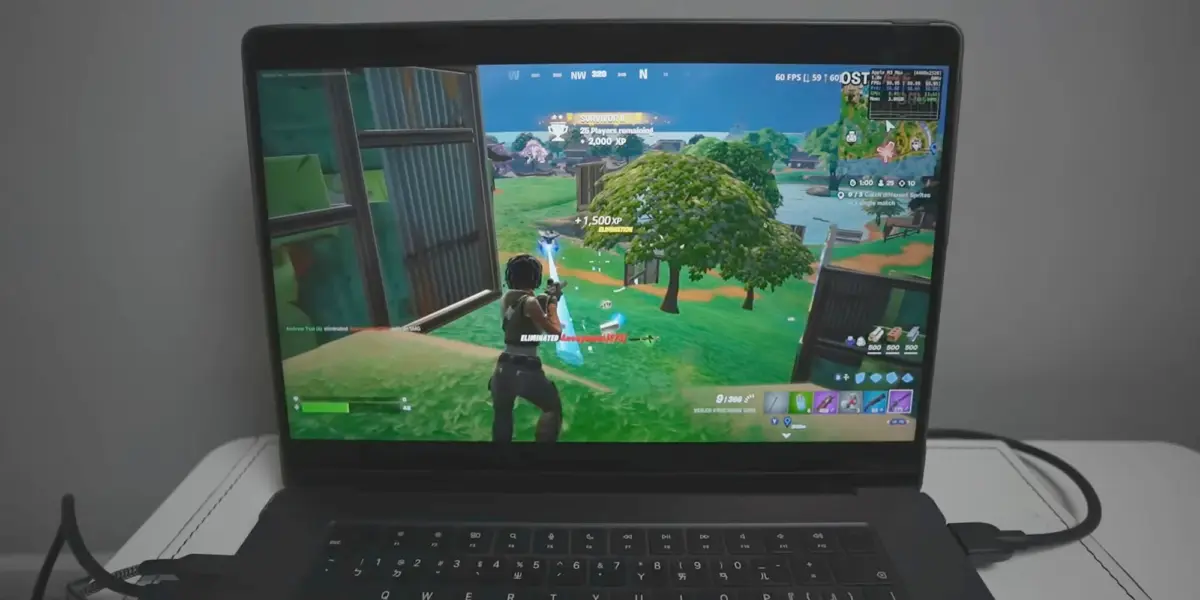
However, a clever workaround has emerged for owners of Apple Silicon Macs (M1, M2, M3, and M4 series chips). Thanks to the shared architectural DNA between Apple’s desktop processors and iOS devices—both running on ARM-based architectures—tech-savvy developers have engineered a method to download, patch, and execute the native mobile version of Fortnite directly on macOS.
Powered by open-source tools hosted on GitHub, such as the FnMacAssistant utility, users can bypass cloud dependencies entirely. This comprehensive guide explores the technical mechanisms behind this workaround, examines the steps and risks involved, reviews community insights, and evaluates what this means for the broader landscape of Apple ecosystem gaming.
Detailed Chronology: The Breakdown and Rebirth of Mac Gaming
To understand why running Fortnite locally on a Mac requires a workaround today, one must look back at the friction-filled history between Epic Games and Apple.
August 2020: The Implosion
In August 2020, Epic Games implemented a hotfix into Fortnite on iOS and iPadOS that allowed players to purchase in-game currency directly from Epic, circumventing Apple’s mandatory 30% in-app purchase fee. Apple responded swiftly by removing Fortnite from the App Store and terminating Epic’s developer accounts. Because Epic’s Mac development tools were simultaneously tangled in the developer account revocation, native support for Fortnite on macOS was frozen in time, stuck on an outdated patch (v13.40) that could no longer cross-play with other platforms.
2021–2023: The Cloud Era
With native access completely severed, Epic Games pivoted its official support messaging. The official stance became clear: Fortnite was no longer supported on macOS locally, but players could access it via cloud infrastructure. Nvidia’s GeForce NOW famously brought Fortnite back to iOS via Safari and to macOS via its desktop app, utilizing touch- and mouse-friendly wrappers. While effective, it highlighted a glaring irony: Apple Silicon Macs possessed the raw GPU and CPU muscle to render modern games natively, yet software politics and legal disputes kept native titles off the platform.
Late 2024 to Present: The ARM Architectural Convergence
The release of Apple Silicon changed the technical calculus of personal computing. Because Apple’s M-series chips share the same ARM instruction set architecture as iOS and iPadOS devices (iPhones and iPads), applications built for Apple’s mobile operating systems possess an innate capability to execute on macOS—provided the developer permits it or a workaround bypasses restrictions.
Open-source developers capitalized on this synergy. By capturing the latest mobile IPA (iOS App Store Package) files for Fortnite, developers realized they could apply specific runtime patches, sign the application locally using a user’s Apple ID, and run the game directly on Apple Silicon Macs. Tools like FnMacAssistant were born out of this movement, transforming a complex, manual reverse-engineering process into an automated assistant for end-users.
Supporting Context & Metrics: How the Workaround Operates
Running mobile Fortnite natively on an M-series MacBook Pro, Mac mini, or Mac Studio is not a simple double-click operation. It requires a technical understanding of sideloading, app-signing, and community-driven patching.
The Mechanics of FnMacAssistant
The core of this native Mac workaround relies on open-source scripting and community repositories—most notably FnMacAssistant, found on GitHub. The utility automates several complex procedures:
- IPA Acquisition: It retrieves the latest mobile distribution package of Fortnite.
- Runtime Patching: Because mobile apps are built with touchscreens in mind, and macOS handles windowing and peripheral inputs differently, patches are applied to map mouse, keyboard, and controller inputs correctly to the mobile application binary.
- Local Code Signing: macOS security protocols dictate that all executable applications must be cryptographically signed. Because this app is not coming down through official channels or a paid Apple Developer Account, users must use their personal Apple IDs to locally "sign" the application package—a technique long familiar to users of sideloading tools like Sideloadly.
Hardware Performance and Real-World Metrics
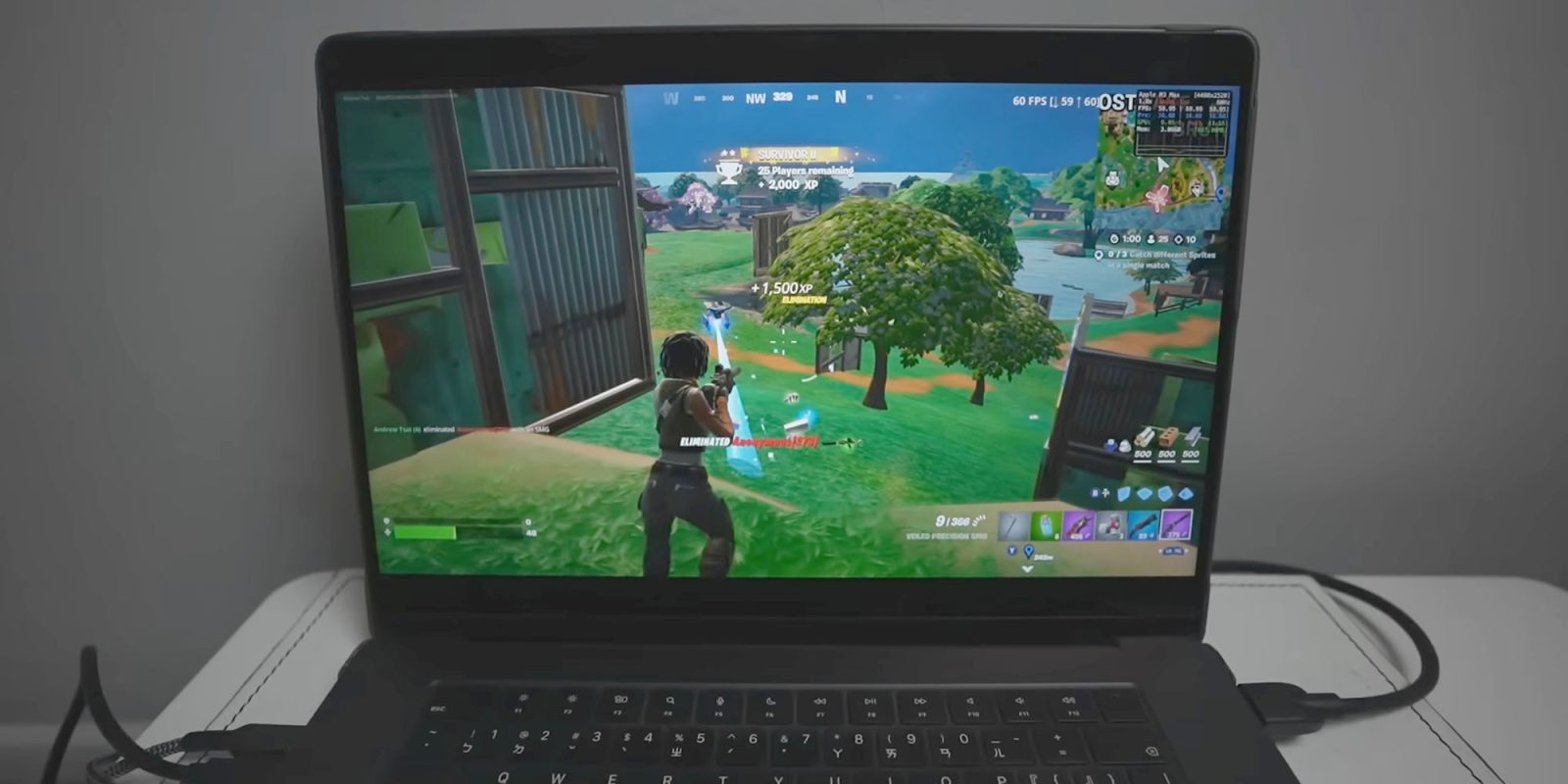
According to tech demonstrators and community content creators—such as Andrew Tsai, founder of AppleGamingWiki—the performance of native mobile Fortnite on Apple Silicon hardware is surprisingly robust.

- M3 and M4 Series Macs: High-end configurations handle the game with impressive frame rates, often pushing smooth performance profiles that easily eclipse the constraints of cloud streaming. Because the rendering is handled locally, there is zero input lag introduced by network latency, making building, editing, and shooting vastly more responsive.
- Thermal Considerations: Unlike casual applications, Fortnite will push an Apple Silicon chip to its thermal limits. On fanless designs like the MacBook Air, thermal throttling may occur during extended play sessions, leading to frame drops. Active-cooled systems, such as the MacBook Pro, Mac mini, or Mac Studio, maintain peak performance for much longer durations.
Potential Pitfalls and Community Troubleshooting
While the payoff is playing true native Fortnite on a Mac, the path is fraught with friction:
- The Margin for Error: Following instructions precisely is non-negotiable. Community forums and Reddit threads dedicated to the process are filled with troubleshooting requests where users missed a single terminal command or configuration step.
- Error Resolution: The GitHub repository maintains troubleshooting logs for common error codes, but users must be comfortable interacting with command-line interfaces and troubleshooting permissions issues.
- Apple ID Security: Sideloading requires inputting personal Apple ID credentials to generate a local signing certificate. While common practice in the jailbreaking and sideloading communities, privacy-conscious users must evaluate the trust level of open-source scripts handling their credentials.
Official Statements and Ecosystem Perspectives
The friction surrounding this workaround underscores the ongoing ideological battle over software distribution and walled gardens.
Epic Games’ Official Position
Epic Games continues to maintain its official line regarding macOS compatibility:
"Is Fortnite available on Mac? No, but you can play Fortnite on Mac via cloud gaming with Xbox Cloud Gaming, Nvidia GeForce NOW, or Amazon Luna."
Epic’s focus remains tied to its ongoing legal and regulatory campaigns against platform holders like Apple and Google, pushing for alternative app stores, lower commission structures, and open sideloading rights globally. Ironically, the very mobile build of Fortnite that Epic maintains for iOS distribution in alternative marketplaces (such as the Epic Games Store on iOS in Europe, or via web distribution) serves as the foundational asset exploited by the Mac community to make this native workaround possible.
Apple’s Stance on Sideloading and App Translation
Apple has historically prioritized security and ecosystem control. While macOS has always permitted the execution of software from outside the Mac App Store (via notarization and Gatekeeper), the translation layer allowing iOS apps to run on Apple Silicon Macs is officially managed by developers checking a box in Xcode. Because Epic refuses to check that box, the application remains officially blocked from running natively on macOS out of the box—necessitating community patches.

Future Outlook: Will Official Native Mac Support Ever Return?
As the legal battles between Epic Games and Apple slowly wind through various global jurisdictions and appellate courts, the ultimate question remains: Will an official, fully optimized native version of Fortnite ever return to macOS?
Technical Feasibility vs. Business Politics
Technically, there has never been a better time for Fortnite on Mac. Apple Silicon has proven itself to be a formidable gaming platform, supported by Apple’s Game Porting Toolkit and growing interest from major AAA publishers like Capcom, Kojima Productions, and Ubisoft. The hardware architecture unifies iOS, iPadOS, and macOS development, meaning an official native port would require far less engineering overhead than it did during the Intel era.
However, the barrier is entirely political and financial. As long as the commercial and legal animosity persists between Epic Games and Apple over platform fees, payment processing, and app store monopolies, an official App Store return is unlikely. Furthermore, Epic may view official native macOS support as low priority compared to its core revenue-generating platforms on consoles, PC, and mobile devices.
What This Means for Users
For now, the community must rely on ingenuity. Open-source projects like FnMacAssistant, dedicated Discord support communities, and comprehensive walkthroughs by creators like Andrew Tsai demonstrate the sheer tenacity of gamers determined to use their hardware the way they choose.
While sideloading mobile binaries onto a Mac via GitHub scripts is not an ideal solution for the average consumer, it stands as a testament to the power of Apple Silicon architecture—and a reminder that where official software channels close their doors, developer communities will often pry open a window.








Belum ada komentar. Jadilah yang pertama berkomentar!