

Executive Overview
For years, the story of Fortnite on Apple platforms has been defined by high-stakes legal battles, corporate standoffs, and compromised experiences. Ever since Epic Games and Apple locked horns in a bitter antitrust dispute that culminated in the game’s removal from the iOS App Store and macOS ecosystem in 2020, Mac users have faced a frustrating reality. Officially, Epic Games maintains that Fortnite is unavailable on macOS. The company’s prescribed workaround directs players toward cloud-streaming alternatives such as Xbox Cloud Gaming, NVIDIA GeForce NOW, and Amazon Luna.
While these cloud services offer a functional way to drop onto the island, they introduce inherent drawbacks: input latency, compression artifacts, subscription dependencies, and an absolute reliance on a robust, uninterrupted internet connection. For competitive players and purists alike, streaming a shooter is an imperfect substitute for a true native application running on local hardware.
However, the hardware landscape has shifted dramatically. Apple’s transition to its custom Apple Silicon architecture (M-series chips) has blurred the architectural lines between iOS, iPadOS, and macOS. Because M-series Macs share the same ARM-based lineage as iPhones and iPads, they possess the underlying hardware capability to run mobile applications natively.
Capitalizing on this architectural convergence, a grassroots development effort has emerged. Open-source tools hosted on GitHub—most notably an assistant known as FnMacAssistant—now allow users to download, patch, and sideload the native mobile version of Fortnite directly onto Apple Silicon Macs. This method bypasses cloud servers entirely, delivering a true local gaming experience. Yet, this workaround exists in a gray area of software modification, requiring sideloading tools, careful adherence to step-by-step instructions, and a willingness to navigate security workarounds.
This report examines the mechanics behind this development, the historical context of the Epic-Apple feud, the technical realities of running mobile binaries on desktop hardware, and what this trend signals for the future of cross-platform gaming ecosystems.
Detailed Chronology: The Rift, the Cloud, and the Sideloading Era
To understand why Mac users must resort to community-driven patches to play Fortnite natively, one must trace the timeline of the Epic Games versus Apple conflict and the subsequent evolution of Apple Silicon.
August 2020: The Excommunication
The saga began when Epic Games implemented a direct-payment system inside the mobile version of Fortnite, intentionally circumventing Apple’s mandatory 30% in-app purchase commission. In swift retaliation, Apple removed Fortnite from the App Store and terminated Epic’s developer accounts. Because the macOS and iOS development toolchains were deeply intertwined, the fallout extended to Mac computers, freezing the macOS client in an outdated version (v13.40) that lacked cross-play capabilities, seasonal updates, and modern battle passes. For all practical intents and purposes, Fortnite on the Mac was dead.
November 2020: The Dawn of Apple Silicon
Coincidentally, late 2020 marked the debut of Apple’s M1 chip. By moving away from Intel processors and designing custom System-on-Chips (SoCs) based on ARM architecture, Apple unlocked a massive performance-per-watt leap. Crucially, M-series Macs gained the native ability to run iOS and iPadOS apps directly from the Mac App Store—provided developers allowed it. Because Epic and Apple remained locked in a hostile legal war, Epic blocked its iOS binaries from running on Apple Silicon Macs, locking out millions of potential desktop players who owned powerful new hardware.
2021–2024: The Cloud Era and Legal Stalemate
As courtrooms in the United States and European Union deliberated over antitrust laws, anti-steering provisions, and app store monopolies, everyday users looked for workarounds. Epic leaned heavily into cloud gaming partnerships. By routing gameplay through browser-based platforms like GeForce NOW and Xbox Cloud Gaming, players could circumvent the App Store blockade. While serviceable, these solutions suffered from bandwidth constraints and lacked the tactile, zero-latency responsiveness of native rendering.
Late 2024 to Present: The Rise of Community-Led Automation
As the technical community grew more familiar with Apple Silicon’s binary execution capabilities, tinkerers realized that the mobile (iOS/iPadOS) version of Fortnite could theoretically be executed on macOS if the package was properly intercepted, signed, and patched. Sideloading utilities like Sideloadly laid the groundwork, enabling users to install unsigned or custom-signed .ipa files using personal Apple IDs.
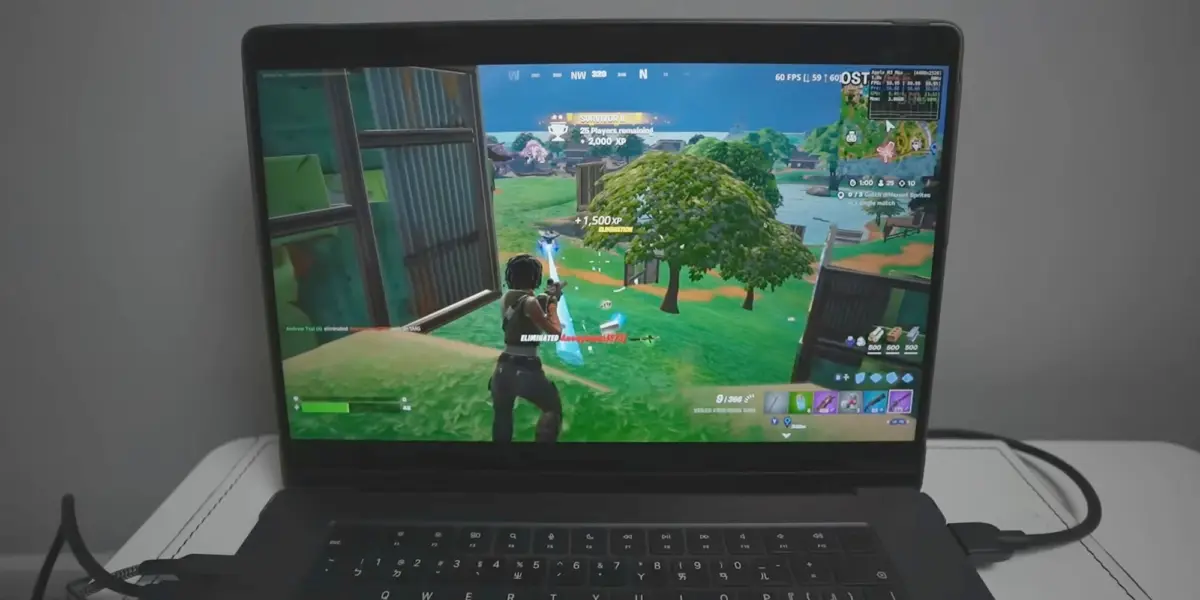
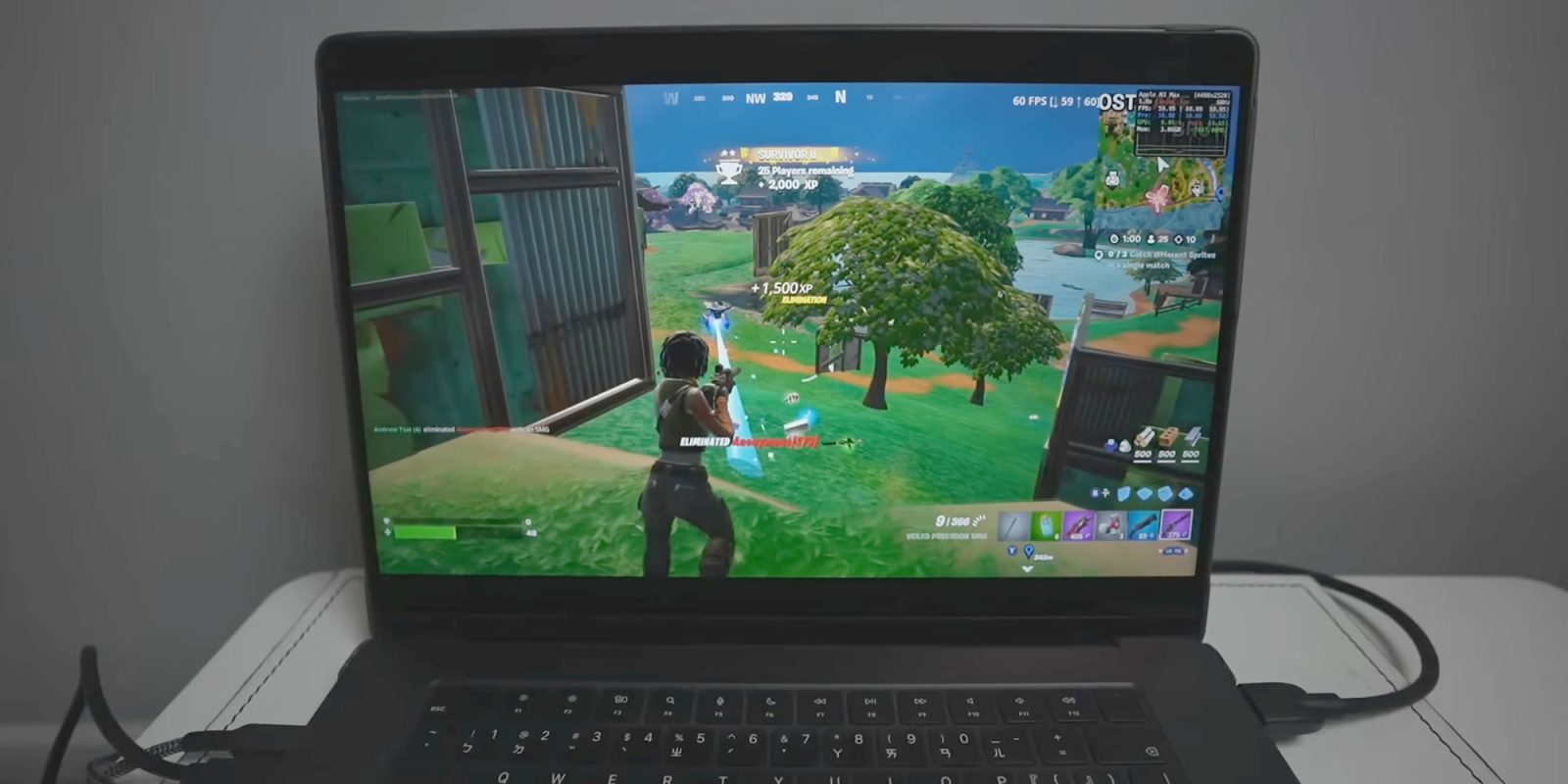
Most recently, open-source developers have streamlined this cumbersome process. Projects like FnMacAssistant have emerged on GitHub, automating the retrieval of the latest mobile Fortnite IPA files and applying the binary patches required to make the mobile client stable on macOS environments. Content creators and tech archivists—such as Andrew Tsai, founder of AppleGamingWiki—have documented these breakthroughs, demonstrating that modern M-series MacBooks and desktops can run native Fortnite at impressive frame rates without cloud infrastructure.
Supporting Context & Metrics: Hardware Capabilities and Community Mechanics
Running a modern, high-fidelity battle royale game originally designed for mobile and console hardware on a desktop operating system requires a nuanced understanding of Apple Silicon’s technical parameters.
How FnMacAssistant Operates
The core mechanism behind playing native Fortnite on an Apple Silicon Mac revolves around the inherent architectural compatibility between iOS and macOS. Because both operating systems run on ARM64 instruction sets, an application compiled for an iPhone or iPad can execute instructions on an M1, M2, M3, or M4 chip without translation layers like Rosetta 2.
However, mobile games rely on specific entitlements, security frameworks, and API calls that macOS handles differently. This is where community scripts step in:

- IPA Acquisition: The tool assists users in downloading the legitimate, official mobile Fortnite application package (
.ipa) directly from authorized distribution channels. - Patching: Because the mobile client expects touch input, mobile-specific graphic hooks, and iOS sandbox environments, the assistant applies targeted patches to adapt the binary for desktop window management, keyboard/mouse mapping, and controller integration.
- App Signing: To run an unverified or modified IPA on macOS without a paid Apple Developer Account ($99/year), the application must be "side-loaded" using a personal Apple ID certificate. Tools integrated into these workflows sign the app locally, tricking macOS Gatekeeper into executing the code.
Hardware Performance Metrics on M-Series Chips
Testing conducted by hardware enthusiasts reveals that native mobile builds of Fortnite scale remarkably well across Apple’s silicon tiers:
- Entry-Level M1/M2 (Base Chips): Capable of running the game at stable 60 frames per second at medium graphical settings. Thermal throttling is minimal due to the high efficiency of the architecture, though base models with 8GB of RAM may experience memory pressure during extended play sessions.
- Pro and Max Variants (M2 Pro, M3 Pro, M4 Max): These chips easily push higher resolutions and frame rates, often matching or exceeding mobile device performance. Active cooling in MacBook Pro and Mac Studio models allows for sustained peak performance during chaotic endgame scenarios.
- Input Peripherals: Unlike cloud gaming—which can suffer from network jitter—native execution means hardware inputs (gaming mice, mechanical keyboards, and Bluetooth controllers) register instantaneously, providing a competitive responsiveness that rivals dedicated Windows gaming rigs.
Risks, Caveats, and Community Support
Despite the technical elegance of the workaround, journalists and community leaders emphasize several critical friction points:
- Strict Adherence to Instructions: Forum threads on Reddit and dedicated Discord channels indicate that minor oversights in the patching sequence result in immediate crashes or verification failures.
- The Apple ID Requirement: Sideloading requires inputting personal Apple credentials into third-party signing tools. While open-source scripts are generally scrutinized by the community for malicious code, users must weigh the privacy and security implications of sharing credential-derived authorization tokens with unverified scripts.
- Fragility to Updates: Every time Epic Games pushes a mandatory server-side update or patches the mobile client, the custom IPAing and patching process may break, requiring the community to update their scripts accordingly.
Official Statements and Industry Perspectives
The ongoing divide over Fortnite on macOS highlights a profound philosophical conflict between platform gatekeepers, game publishers, and open-source advocates.
Epic Games’ Official Stance
Epic Games has maintained a rigid customer support posture regarding desktop Apple hardware. In its official documentation, the company addresses the Mac ecosystem concisely:
"Is Fortnite available on Mac? No, but you can play Fortnite on Mac via cloud gaming with Xbox Cloud Gaming, Nvidia GeForce NOW, or Amazon Luna."
By directing players exclusively to cloud platforms, Epic deliberately avoids allocating internal engineering resources to maintain a native macOS build while its legal battles with Apple remain unresolved. From Epic’s perspective, the financial and logistical burden of supporting a separate desktop client outside of walled gardens that charge high commissions is untenable.
Apple’s Position on Sideloading and Ecosystem Control
Apple has historically defended its strict macOS and iOS security paradigms—including Gatekeeper, Notarization, and Code Signing—as vital defenses against malware, privacy intrusions, and unauthorized software distribution. While macOS remains far more open than iOS (allowing traditional sideloading of downloaded software without notarization via user overrides), running patched mobile binaries outside the App Store sits well outside Apple’s intended user journey.

Industry analysts point out that while Apple highlights Mac gaming as an emerging priority—introducing features like the Game Porting Toolkit, Metal 3 optimizations, and high-profile titles like Resident Evil and Death Stranding—the absence of major live-service juggernauts like Fortnite remains a glaring omission in Apple’s pitch to hardcore gamers.
The Open-Source and Modding Community
The creators of projects like FnMacAssistant and communities on platforms like the Fortnite Mac Discord view their work not merely as a hack, but as a reclamation of hardware agency. Their core philosophy posits that if consumer hardware is physically capable of running software natively, artificial corporate blockades or legal stalemates should not prevent users from utilizing their devices as they see fit.
Future Outlook: Will Native Mac Gaming Bridge the Gap?
As the dust settles on years of antitrust litigation, the long-term outlook for Fortnite returning to macOS through official channels remains murky. Regulatory shifts—particularly in the European Union under the Digital Markets Act (DMA)—have forced Apple to allow alternative app marketplaces and sideloading on iOS devices within the region. However, the extension of these rulings to traditional macOS software distribution and cross-platform ecosystem parity remains a slow, litigious crawl.
In the near term, enthusiasts will likely continue relying on community-driven automation tools to bridge the gap. As Apple Silicon evolves—bringing increasingly powerful unified memory architectures, hardware-accelerated ray tracing, and advanced graphics APIs—the performance gap between mobile ports and desktop-class games will continue to narrow.
For Mac owners determined to drop onto the island without the latency penalties of cloud streaming, community repositories offer a viable, if complex, lifeline. Whether Epic Games will eventually choose to officially re-enable native macOS support—perhaps leveraging regulatory pressure or shifting market dynamics—remains one of the most anticipated questions in modern gaming culture. Until that day arrives, the ingenuity of open-source developers remains the primary vehicle keeping native battle royale alive on the Mac.







Belum ada komentar. Jadilah yang pertama berkomentar!