

Executive Overview
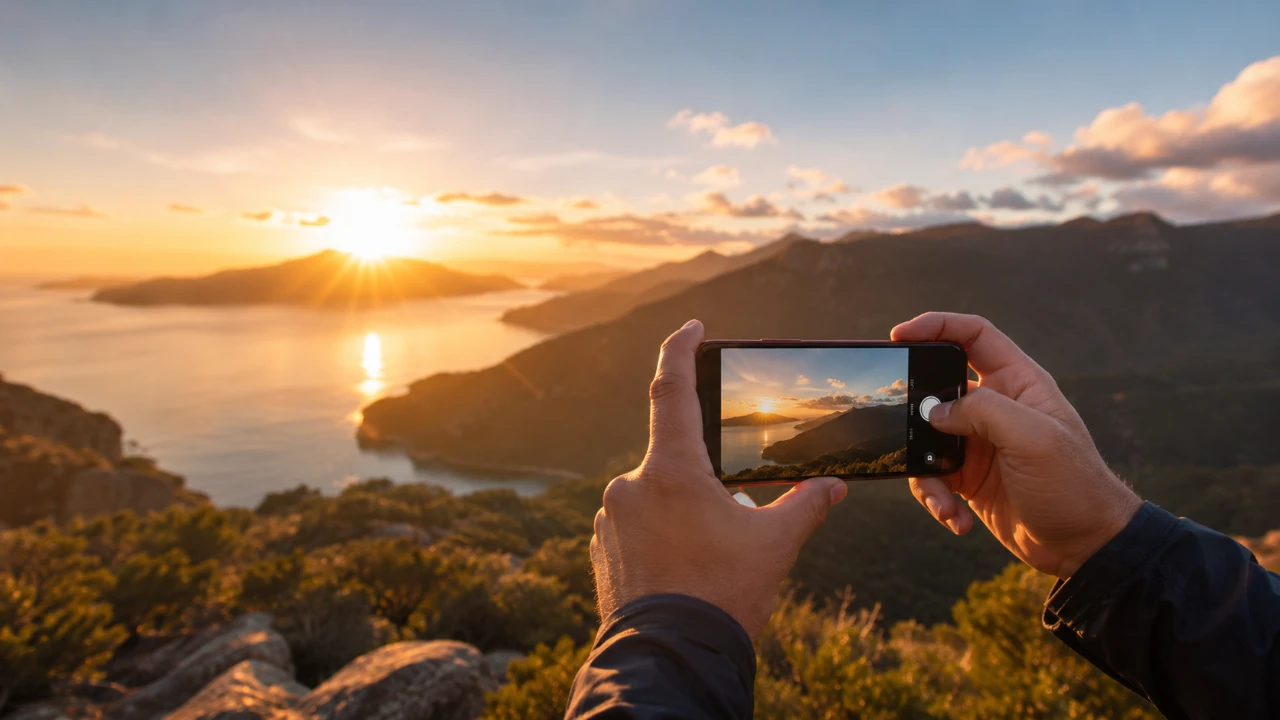
Sunrise photography has long been celebrated as one of the most rewarding pursuits for both amateur shutterbugs and seasoned professionals. The early morning hours offer an ethereal canvas defined by soft, directional light, rich atmospheric tones, and a tranquil world untouched by the hustle and bustle of the day. Historically, capturing these fleeting moments required heavy, expensive DSLR equipment, specialized glass filters, and tedious post-processing. Today, however, the modern smartphone—specifically the Apple iPhone—has democratized high-end landscape photography.
Equipped with advanced computational photography engines, large sensor arrays, multi-lens setups, and sophisticated low-light capabilities, the iPhone is a powerhouse capable of producing publication-grade imagery. Yet, owning advanced hardware is only half the battle. True mastery requires a synthesis of technical know-how, compositional awareness, and an understanding of dynamic lighting conditions.
Drawing insights from comprehensive tutorials provided by the iPhone Photography School, this guide delves deep into the strategies, settings, and artistic visions necessary to elevate your mobile sunrise photography. From planning your shoot and optimizing native camera controls to adapting to shifting atmospheric conditions and capturing fine foreground details, this masterclass provides a definitive roadmap to transforming ordinary morning scenes into striking, emotive works of art.
Detailed Chronology: The Evolution of Mobile Sunrise Photography
To truly appreciate what modern iPhones can achieve at dawn, it is helpful to look at how mobile photography has evolved and how a typical sunrise shoot unfolds chronologically.
The Pre-Digital Era vs. The Smartphone Revolution
Not long ago, capturing a sunrise meant waking up hours before dawn, hauling a tripod, a camera body, multiple lenses, cable releases, and graduated neutral density (GND) filters to a remote location. Photographers had to manually calculate exposure triangles, balance harsh contrast between a bright sky and a dark landscape, and wait days or weeks to see if their film exposures were successful.
The advent of computational photography on the iPhone changed this paradigm entirely. Modern iPhones utilize features like Smart HDR, Deep Fusion, and Photonic Engine. When you tap the shutter button at sunrise, the phone doesn’t just take a single picture; it captures multiple frames at varying exposures instantaneously, combining them into a single, balanced image with preserved highlight details in the sky and open shadows in the landscape.
The Chronology of a Morning Shoot
A successful sunrise photography session is executed in distinct phases:
- The Astronomical & Nautical Twilight (Pre-Dawn): Long before the sun breaks the horizon, the sky begins to transition from deep indigo to soft pastels. This is the time to scout locations, set up your tripod, and frame your shot. The light is exceptionally low, testing your iPhone’s low-light sensitivity.
- The Golden Hour (Sunrise & Immediately After): The moment the sun crests the horizon marks the beginning of the golden hour. The light is intensely horizontal, casting long, dramatic shadows and painting clouds in brilliant hues of orange, pink, and gold. This phase requires rapid adjustments as light intensity changes by the second.
- The Transitional Morning (Post-Golden Hour): As the sun climbs higher, the harshness of daylight begins to creep in. However, this period often reveals mist, dew-kissed foliage, and textural elements that make for stunning macro or mid-range landscape compositions.
Supporting Context & Metrics: Understanding Morning Light and iPhone Capabilities
To maximize your iPhone’s potential during sunrise, you must understand the interplay between natural lighting physics and mobile sensor technology.
Why Morning Light is Unmatched
The quality of light during sunrise is fundamentally different from any other time of day due to Rayleigh scattering. When the sun is low on the horizon, its light must travel through a much thicker layer of the Earth’s atmosphere. This atmospheric filtration scatters shorter wavelengths (blue and violet) while allowing longer wavelengths (reds, oranges, and yellows) to pass through.
The resulting illumination is soft, warm, and diffused. It minimizes harsh contrast, accentuates textures through raking light (light hitting a surface at a low angle), and evokes deep psychological responses of calm and renewal in the viewer.
Leveraging iPhone Hardware Metrics
Modern iPhone Pro models feature expansive sensor arrays—often featuring a 48-megapixel main camera sensor paired with ultra-wide and telephoto lenses.
- Sensor Size & Pixel Binning: The larger sensors capture significantly more light than older models. Through pixel binning, the camera combines data from multiple adjacent pixels to produce hyper-detailed, low-noise 12MP or high-resolution 24MP/48MP images.
- Dynamic Range: Sunrise scenes present extreme contrast ratios between the bright sun and dark foregrounds. The iPhone’s Smart HDR algorithm analyzes up to nine different exposures simultaneously, ensuring that clouds are not blown out and shadows retain usable data.
- ProRAW Capabilities: For maximum editing flexibility, shooting in Apple ProRAW allows photographers to retain uncompressed linear DNG files. This is particularly valuable for recovering subtle color gradations in morning skies during post-processing.
Official Guidelines & Expert Techniques for iPhone Sunrise Photography
To bridge the gap between casual snapshots and professional-grade landscape imagery, experts recommend a structured approach across preparation, composition, camera settings, and field adaptation.
1. Preparation and Reconnaissance
The best sunrise photos are rarely the result of blind luck; they are engineered through meticulous planning.
- Scout in Advance: Visit your chosen location during daylight hours prior to the shoot. Look for natural leading lines, bodies of water that can create reflections, and interesting silhouettes (trees, buildings, mountains).
- Track the Sun: Utilize applications like PhotoPills or Sun Seeker to determine the exact minute and compass bearing of the sunrise. This ensures you arrive with ample time to set up before the sky begins to change.
- Check the Weather: Look for partly cloudy skies rather than a completely clear blue sky or an overcast day. Clouds act as a natural diffuser, catching the rich reds and pinks of the sunrise and creating a dramatic, textured sky.
2. Mastering Compositional Principles
A technically crisp image will fall flat if the composition lacks intention. Apply classic artistic frameworks to guide the viewer’s eye:
- The Rule of Thirds: Turn on your iPhone’s camera grid lines (Settings > Camera > Grid). If the sky is filled with magnificent color and clouds, place the horizon on the lower third grid line to emphasize the sky. If the foreground features striking textures or reflections, position the horizon on the upper third line.
- Leading Lines: Utilize roads, pathways, fences, or shorelines that naturally lead from the foreground into the mid-ground and toward the rising sun. This creates a powerful sense of depth and dimensionality.
- Scale and Proportion: Incorporate a recognizable element—such as a lone tree, a figure, or a piece of architecture—into your frame. This provides a sense of scale, contrasting the vastness of the morning sky with grounded reality.
3. Optimizing iPhone Camera Settings in the Field
Relying entirely on the default point-and-shoot mode can sometimes result in underexposed landscapes or blown-out skies. Take manual control of your mobile device:
- Exposure Lock and Compensation: Tap on the brightest part of the sky to focus, then slide the sun icon (exposure slider) slightly downward to dial back the exposure. This deepens the color saturation of the morning clouds and prevents highlights from clipping.
- Utilize the Horizon Level: Enable the built-in spirit level (Settings > Camera > Level) to ensure your horizon lines remain perfectly straight. A crooked horizon can instantly cheapen an otherwise magnificent landscape photo.
- Lock Focus and Exposure (AE/AF Lock): Press and hold on your screen until the "AE/AF LOCK" indicator appears. This prevents the camera from continuously hunting for focus and shifting exposure as light conditions fluctuate.
4. Adapting to Rapidly Changing Atmospheric Conditions
Dawn is a fluid, fast-moving environment. The scene in front of you can transform dramatically in a matter of three to five minutes.
- Shoot in Burst Mode: When the light peaks and color intensity is at its height, use Burst Mode (swipe the shutter button to the left) to capture a rapid sequence of frames. This ensures you capture the exact moment a wave crashes, a bird flies through the frame, or the light hits a mountain peak just right.
- Bracket Your Angles: Don’t settle for a single vantage point. Once you secure your primary wide-angle shot, move closer to the ground for a low-angle perspective, switch to the telephoto lens to isolate distant landscape features, or look backward to capture the alpenglow illuminating opposing mountains or buildings.
5. Incorporating Creative Details and Textures
While grand vistas capture immediate attention, small details tell a deeper story of the morning environment.
- Hunt for Dew and Frost: Look for early morning dew clinging to spiderwebs, grass blades, or autumn leaves. Use your iPhone’s macro mode (available on iPhone Pro models) to capture abstract, glistening details illuminated by the low-angle golden light.
- Capture Reflections: Calm morning lakes, puddles, or coastal tide pools offer mirror-like surfaces. Position your iPhone lens very close to the water’s surface to maximize the reflection of the colorful morning sky.
- Silhouette Play: Position your subject directly between your lens and the rising sun to create stark, artistic silhouettes against a brightly colored gradient background.
Future Outlook: The Trajectory of Mobile Landscape Photography
As we look toward the future of mobile technology and photography, the boundary between dedicated professional mirrorless cameras and Apple’s iPhone continues to blur.
The integration of advanced artificial intelligence and machine learning models directly into mobile processors promises even greater dynamic range control, real-time atmospheric scene recognition, and automated compositional suggestions. Future iterations of iOS camera software are expected to further streamline computational long-exposure capabilities, making tripod-less handheld sunrise and waterfall long exposures even sharper and more artifact-free.
Furthermore, the expansion of modular accessory ecosystems—such as high-grade magnetic physical filters (circular polarizers and ND filters) designed specifically for iPhone cases—means that mobile photographers will soon wield the exact same physical light-manipulation controls as traditional landscape shooters, all while fitting comfortably inside a jacket pocket.
For enthusiasts and aspiring creators, there has never been a more accessible or exciting time to explore sunrise photography. By combining the powerful computational tools already resting in your hand with foundational principles of light, composition, and field preparation, you can capture the majestic beauty of the dawn and share it with the world in stunning, professional detail.









Belum ada komentar. Jadilah yang pertama berkomentar!