

Executive Overview
The evolution of gaming peripherals is a fascinating study in incremental gains, particularly at the high end of the market where diminishing returns meet astronomical price tags. Razer’s illustrious Naga series has long occupied a unique space in this landscape. By packing dozens of customizable buttons onto a single chassis, the Naga line has catered specifically to the demanding, shortcut-heavy ecosystem of massively multiplayer online (MMO) games.
Enter the Razer Naga V3 Pro, a peripheral that arrives with the heavy burden of both its predecessor’s legacy and a steep $180 / £180 / €200 MSRP. Positioned as a straightforward, generational refresh of the Naga V2 Pro, the V3 Pro retains the exact physical dimensions of the model before it while shedding a tiny bit of weight and integrating cutting-edge internals.
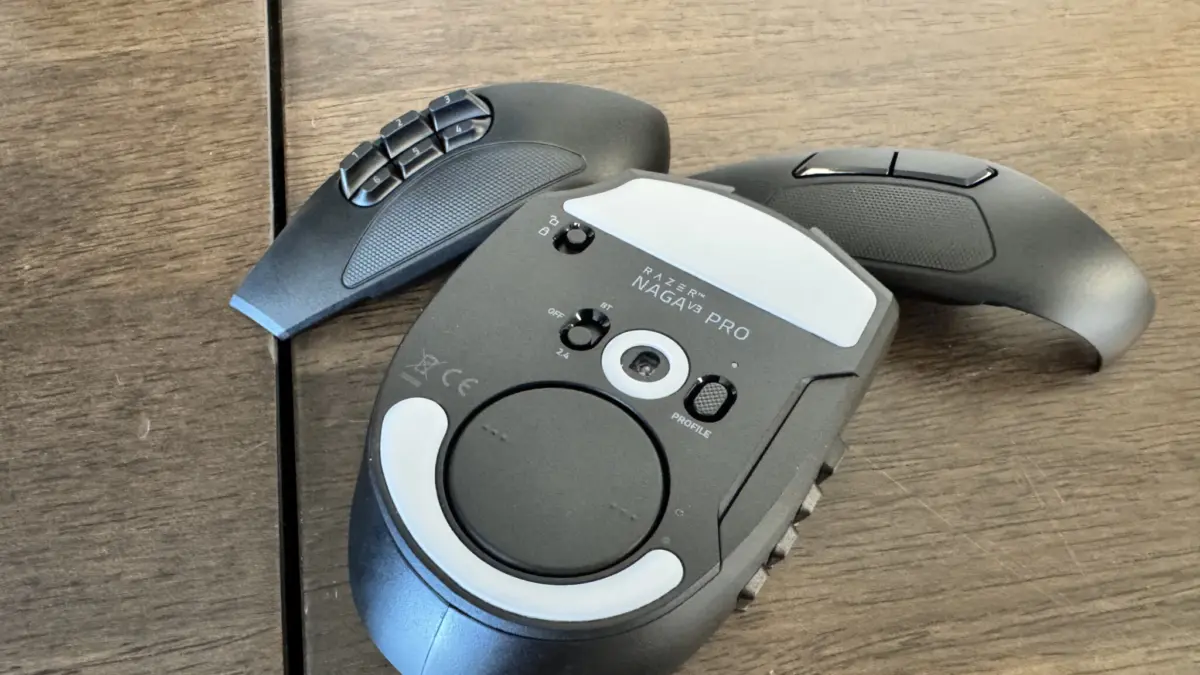
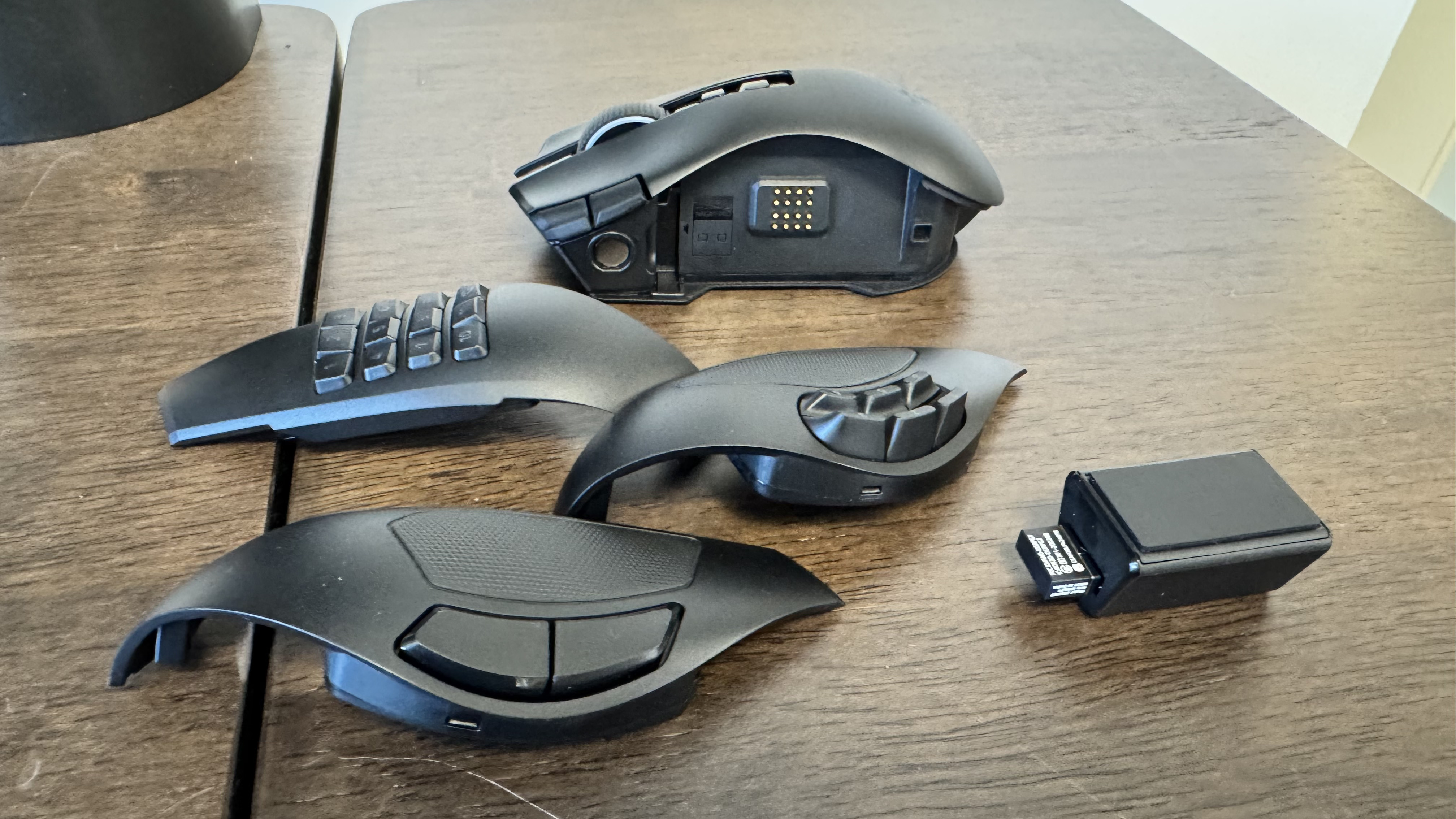
At its core, the Naga V3 Pro offers a masterclass in versatility. Thanks to its signature magnetic, swappable faceplates—featuring 12, 6, and 2-button configurations—it is a chameleon capable of transitioning from an FFXIV ability bar manager to a rapid-fire FPS mouse in seconds. Driven by a blistering 50,000 DPI Focus Pro Gen 2 optical sensor and Gen-4 optical mouse switches, its raw technical specifications are nearly peerless.
Yet, perfection in the hardware space is elusive. With a price point that invites severe scrutiny, the Naga V3 Pro must contend not only with rival manufacturers like Corsair, but also with its own internal lineup and a few polarizing design choices—most notably, the sharp, high-pitched acoustic profile of its newest switches. For the hardcore, well-heeled MMO devotee, it is arguably the finest multi-button mouse on the market. For everyone else, the financial barrier to entry demands a much closer look.
Detailed Chronology and Design Evolution
To understand the Naga V3 Pro, one must trace the lineage of the Naga family. Over the years, Razer has iteratively refined the concept of the multi-button MMO mouse, shifting from early wired iterations to modular, multi-wireless flagships. The V2 Pro laid a strong foundation with its swappable side plates, ergonomic contouring, and robust battery life, but the V3 Pro focuses its upgrades squarely on performance metrics and tactile refinement.
Razer Naga Lineage Evolution:
[Naga V1/V2 Era: Establishing Modular Multi-Button Standards]
       │
       ▼
[Naga V2 Pro: 30K Sensor, 70G Acceleration, 134g Weight]
       │
       ▼
[Naga V3 Pro: Focus Pro 50K Sensor, Gen-4 Optical Switches, 112g-117g Weight]
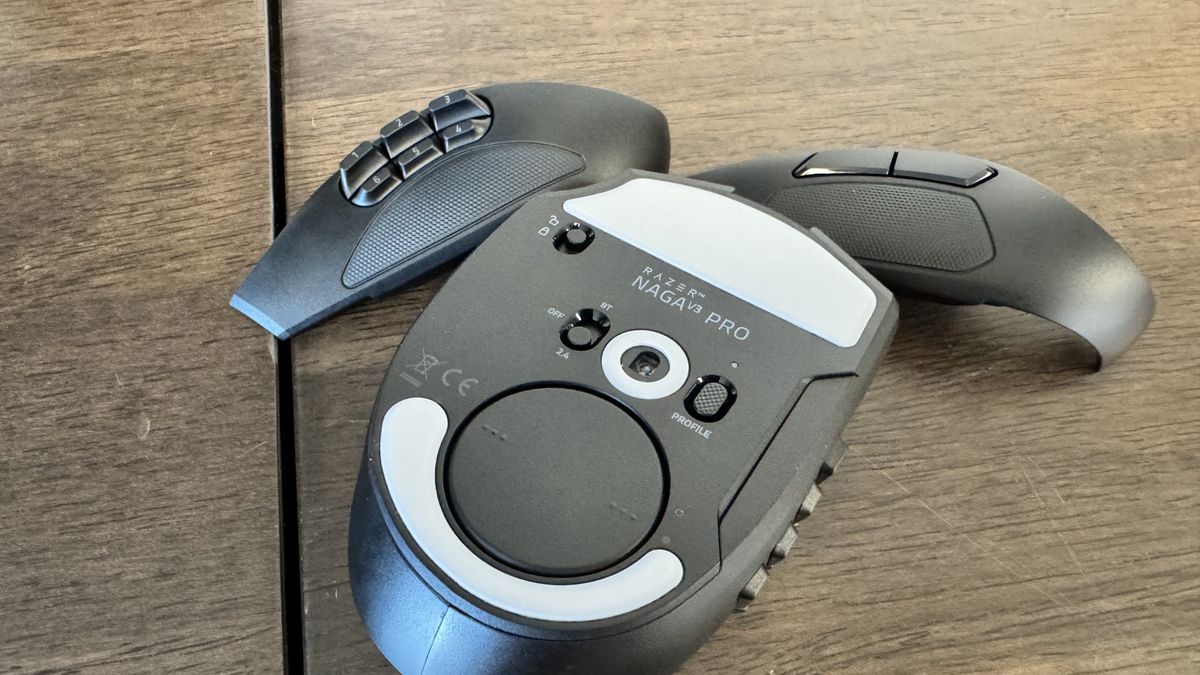
Upon unboxing, the physical footprint of the V3 Pro feels instantly familiar to owners of the V2 Pro. However, a noticeable reduction in mass is immediately apparent. Dropping down to a baseline weight of 112 grams (ranging up to 117 grams depending on the installed faceplate), the mouse manages its heft exceptionally well. The chassis features a subtle curve in the faceplate, granting a secure thumb catch, while a dedicated groove on the right-hand side accommodates the ring finger.
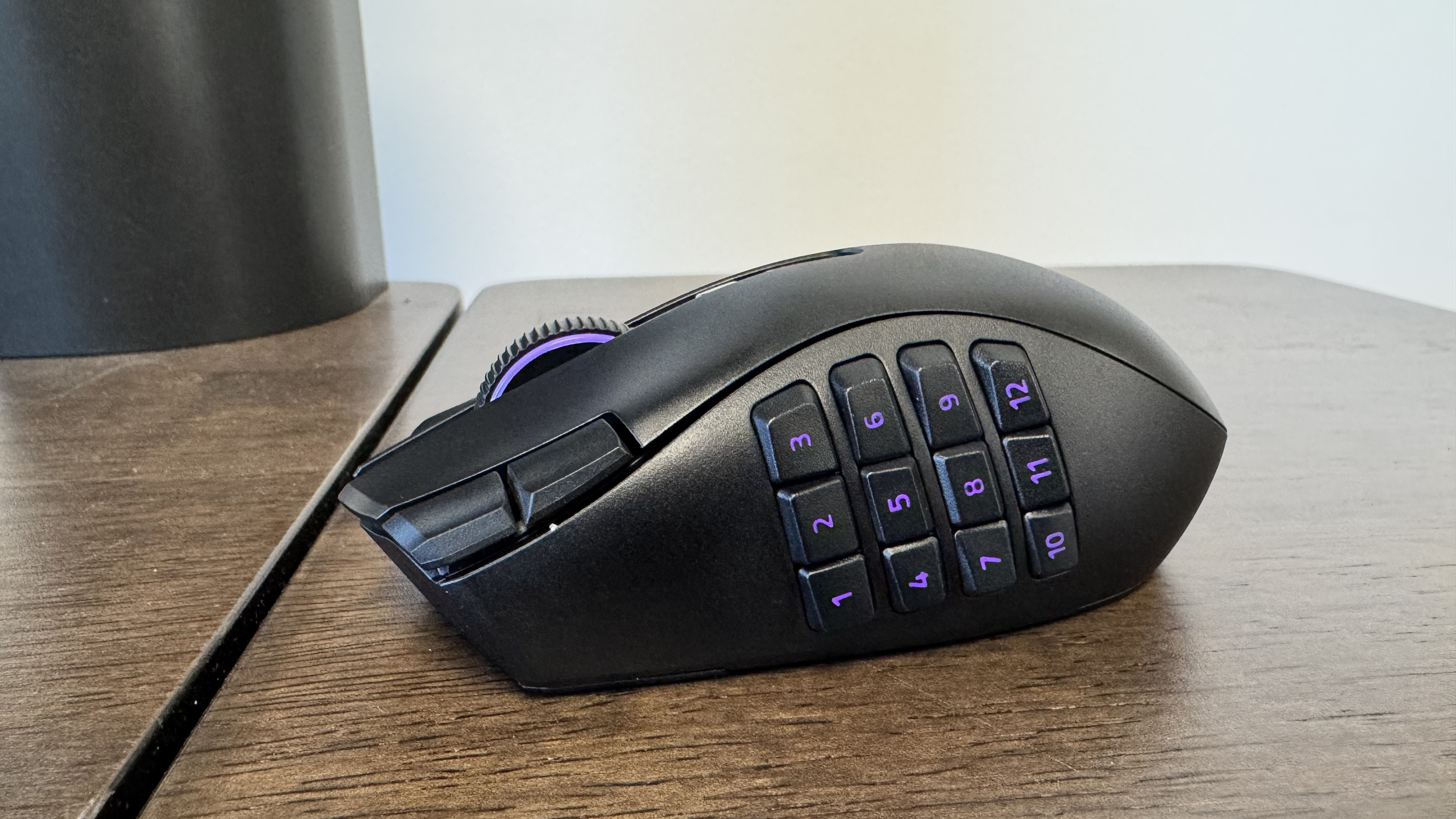
The swappable magnetic faceplates remain the star of the show:
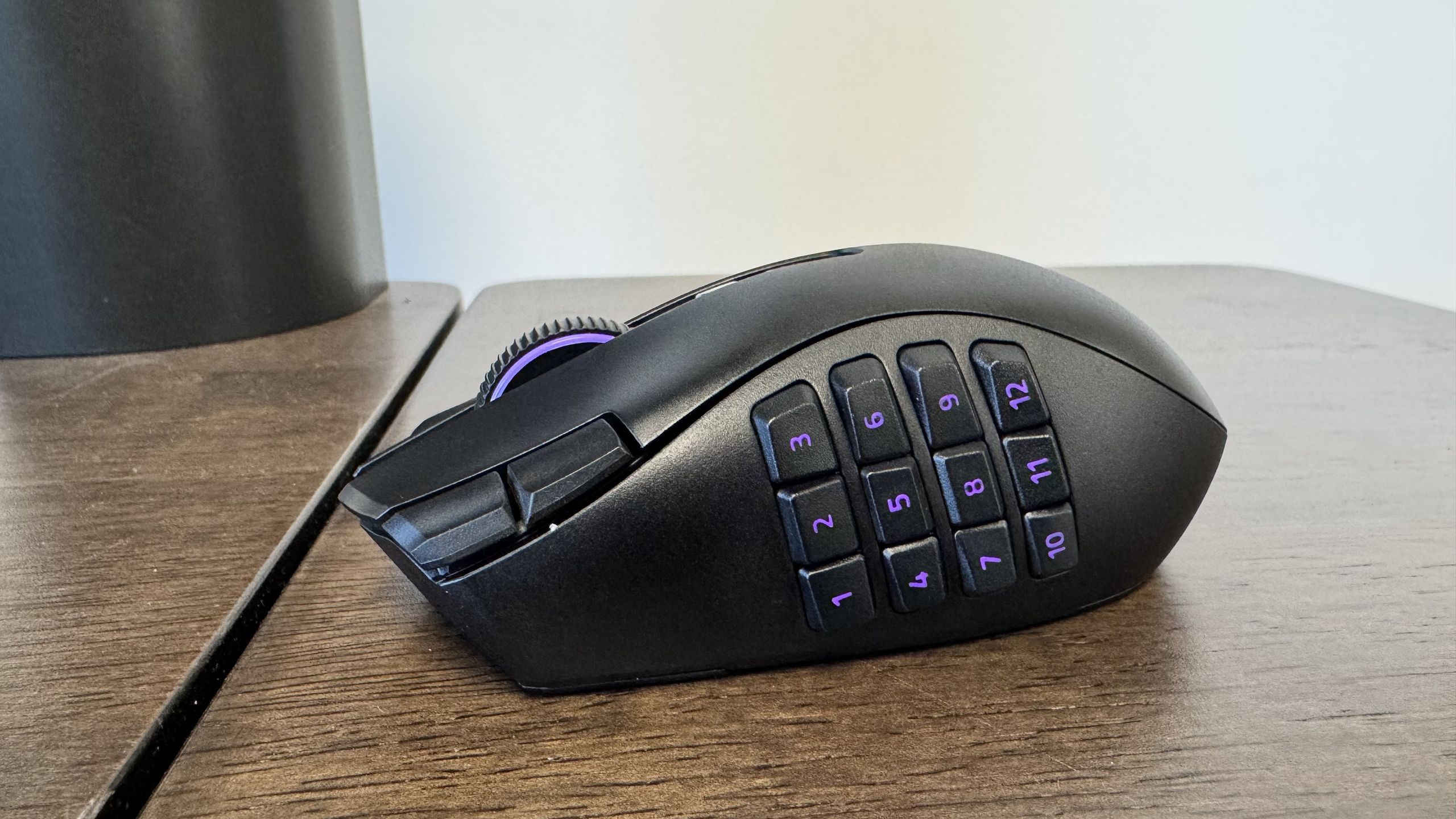
- The 12-Button Grid: Arranged in sets of three, this grid relies on simple mathematical memory (counting up in threes) to build rapid muscle memory. It is meticulously contoured inward around the center, allowing your thumb to find its bearings without requiring a visual glance down at the mouse.
- The 6-Button Layout: Positioned slightly higher on the chassis, this plate targets games with smaller, more manageable skill pools, such as The Elder Scrolls Online.
- The 2-Button Layout: Tailored for first-person shooters, general productivity, and everyday desktop navigation, transforming the multi-button behemoth into a conventional ergonomic mouse.
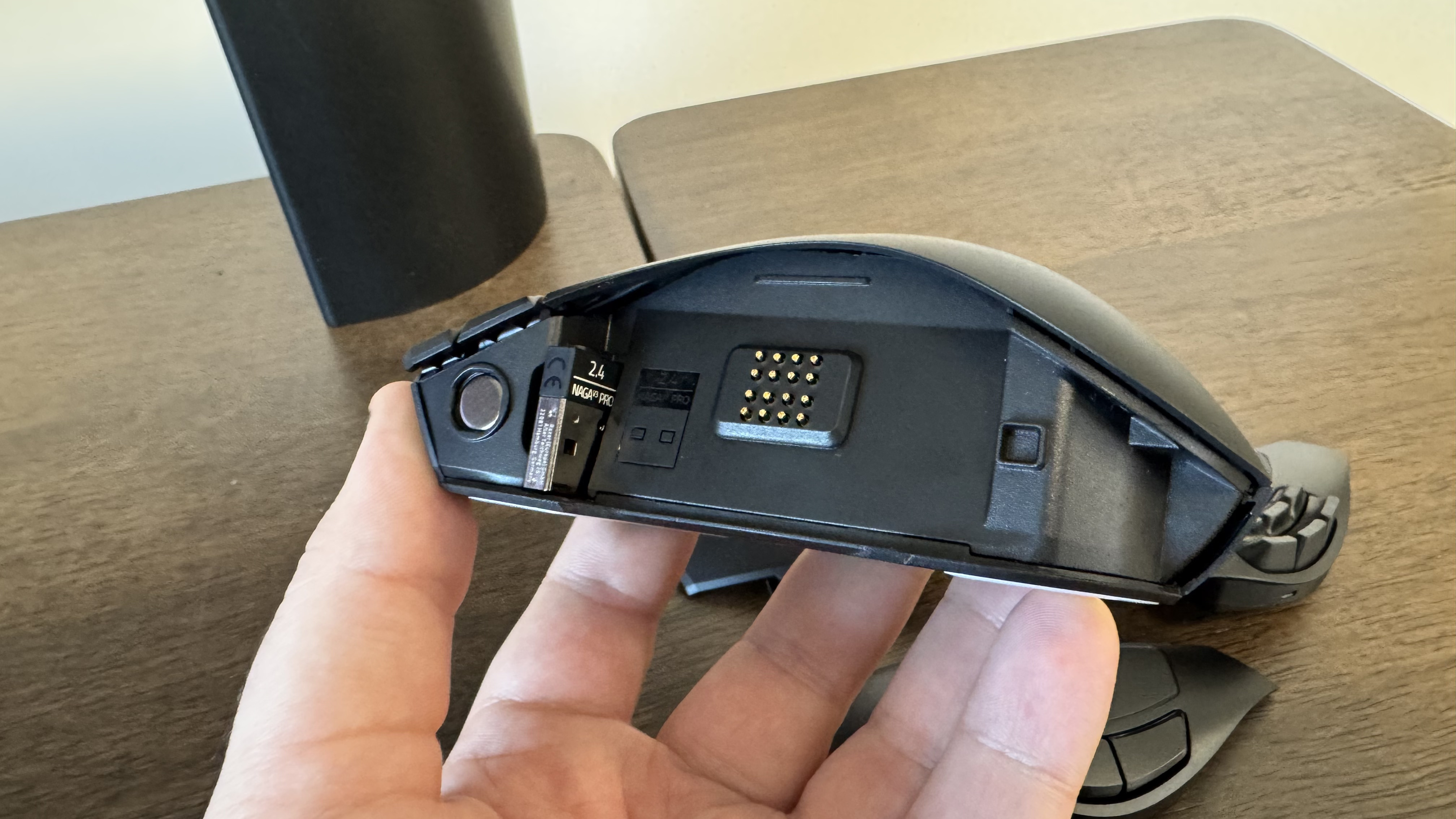
Beyond the faceplates, the V3 Pro is shockingly button-dense. Even with the minimalist 2-button plate attached, users have access to 13 distinct inputs, including two DPI switches flanking the left click, a pair of buttons nestled directly beneath the scroll wheel, and a secondary action button on the right-hand side.
Supporting Context & Metrics: Under the Hood
Razer has spared little expense when outfitting the Naga V3 Pro with top-tier internal hardware. Below is a comprehensive specification breakdown comparing the Naga V3 Pro directly to its predecessor, the Naga V2 Pro:
| Feature / Metric | Razer Naga V3 Pro | Razer Naga V2 Pro |
|---|---|---|
| Sensor | Razer Focus Pro 50K Optical Sensor Gen 2 | Razer Focus Pro 30K Optical Sensor |
| Connectivity | Wired, 2.4 GHz Wireless, Bluetooth | Wired, 2.4 GHz Wireless, Bluetooth |
| Switches | Optical Mouse Switches Gen-4 | Optical Mouse Switches Gen-3 |
| Polling Rate | 1,000 Hz (Upgradable to 8,000 Hz via Dock/Dongle) | 1,000 Hz |
| Max DPI | Up to 50,000 | Up to 30,000 |
| Max Acceleration | 90 G | 70 G |
| Max Speed (IPS) | 930 IPS | 750 IPS |
| Lighting | Customizable RGB | Customizable RGB |
| Weight | 112 g (lightest) – 117 g (heaviest) | 134 g |
| Battery Life | Up to 155 Hours (HyperSpeed Wireless) | Up to 150 Hours (HyperSpeed Wireless) |
| Price | $180 / £180 / €200 | $180 / £180 / €200 |
Sensor Performance and FrameSync Technology
The inclusion of Razer’s Focus Pro 50K Optical Sensor Gen 2—the exact same high-performance component found in the ultra-competitive Viper V4 Pro—delivers blistering accuracy. Tracking is snappy, glass-smooth, and entirely immune to spin-outs or jitter during rapid flicks.
Powering this efficiency is Razer’s proprietary FrameSync technology. Operating similarly to variable refresh rate solutions like G-Sync in monitors, FrameSync synchronizes the mouse’s hardware polling directly with your system’s rendering pipeline. By capturing only the data necessary to maintain ultra-low latency, it optimizes power consumption. This intelligent resource management allows the Naga V3 Pro to achieve up to 155 hours of continuous battery life on a single charge via HyperSpeed wireless, meaning most users will only need to plug it in roughly once a month.
The Hyperscroll Tilt Wheel Gen 2
Another crown jewel of the V3 Pro’s hardware suite is its Hyperscroll Tilt Wheel Gen 2. The scroll wheel can seamlessly transition between a free-spinning, frictionless mode and a tactile, notched mode via Razer’s Synapse software. Furthermore, the wheel can be clicked physically to the left and right—a boon not only for navigating massive web spreadsheets and documents, but also for scrubbing through timelines in video editing suites like DaVinci Resolve.
Official Statements and Practical Performance Realities
While specs on paper tell one story, real-world ergonomics and application performance dictate another. Testing the Naga V3 Pro across vastly different genres highlights both its triumphs and its eccentricities.
MMO Execution (Final Fantasy XIV)
In titles explicitly designed for multi-button peripherals, the Naga V3 Pro shines as a genuine gameplay multiplier. Navigating complex rotations in Final Fantasy 14 without awkwardly stretching fingers across a keyboard transforms the user experience. By utilizing custom bindings—such as mapping the map toggle to the ring-finger button and the inventory shortcut to the click beneath the scroll wheel—the peripheral acts almost like a miniaturized command deck.
FPS and Casual Gaming (Counter-Strike 2)
Given its 112g+ weight, initial skepticism regarding its viability in fast-paced competitive shooters like Counter-Strike 2 is natural. However, the balanced mass distribution proves surprisingly cooperative. While it demands slightly more physical effort to accelerate than an ultralight mouse, the stability it provides when holding static crosshair angles and tracking sightlines yields impressive accuracy.
The Switch Controversy
Despite its functional brilliance, the Naga V3 Pro introduces one glaring drawback: the acoustic profile of its Gen-4 optical switches. While these switches offer incredible actuation speed and crisp tactile feedback under the fingers, their sound signature is deeply polarizing. They emit a high-pitched, plastic-sounding ping that borders on shrill. During long gaming sessions or continuous typing and office work, the repetitive metallic-plastic clatter can quickly become fatiguing, prompting users to consider keeping headset volumes turned up simply to drown out the clicks.
Software, Aesthetics, and Ecosystem Value
Razer Synapse has historically drawn mixed reactions from the PC gaming community, but the software experience with the Naga V3 Pro proves surprisingly stable. After an initial hiccup during the first hour where profile saving lagged, a quick system reset resolved the issue, and the application ran smoothly thereafter. Synapse allows for deep customization of RGB zones, polling rates, sensitivity stages, and individual button re-mappings across distinct user profiles (e.g., an everyday desktop profile, an MMO profile, and an FPS profile).
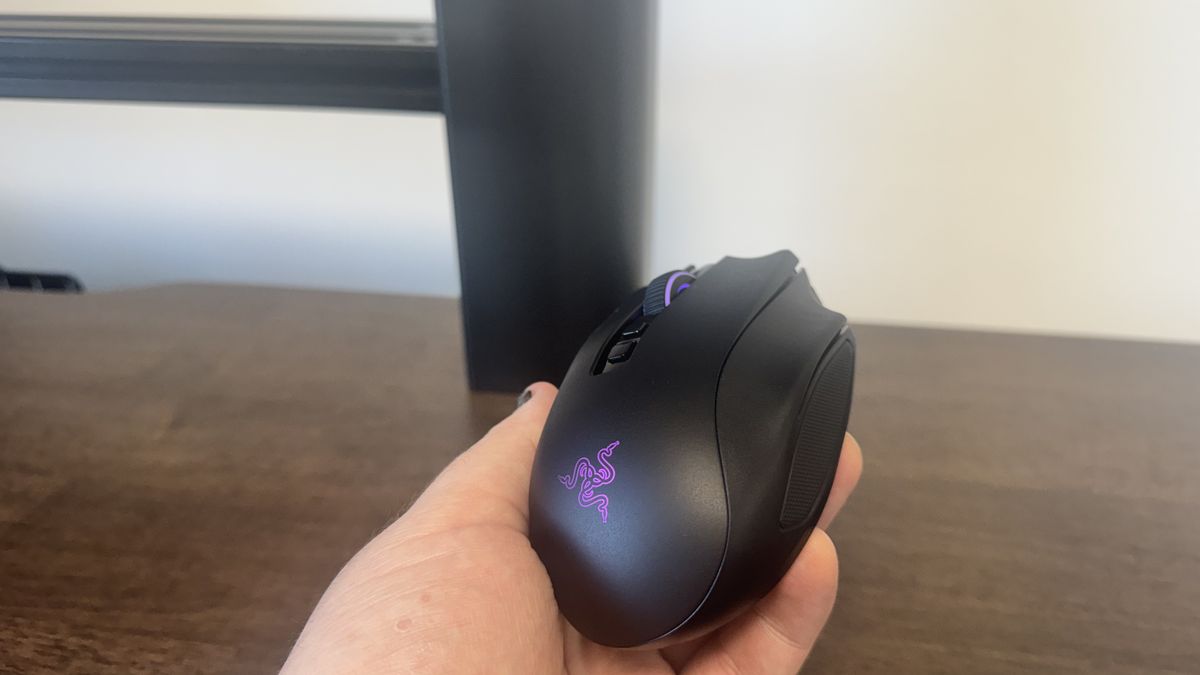
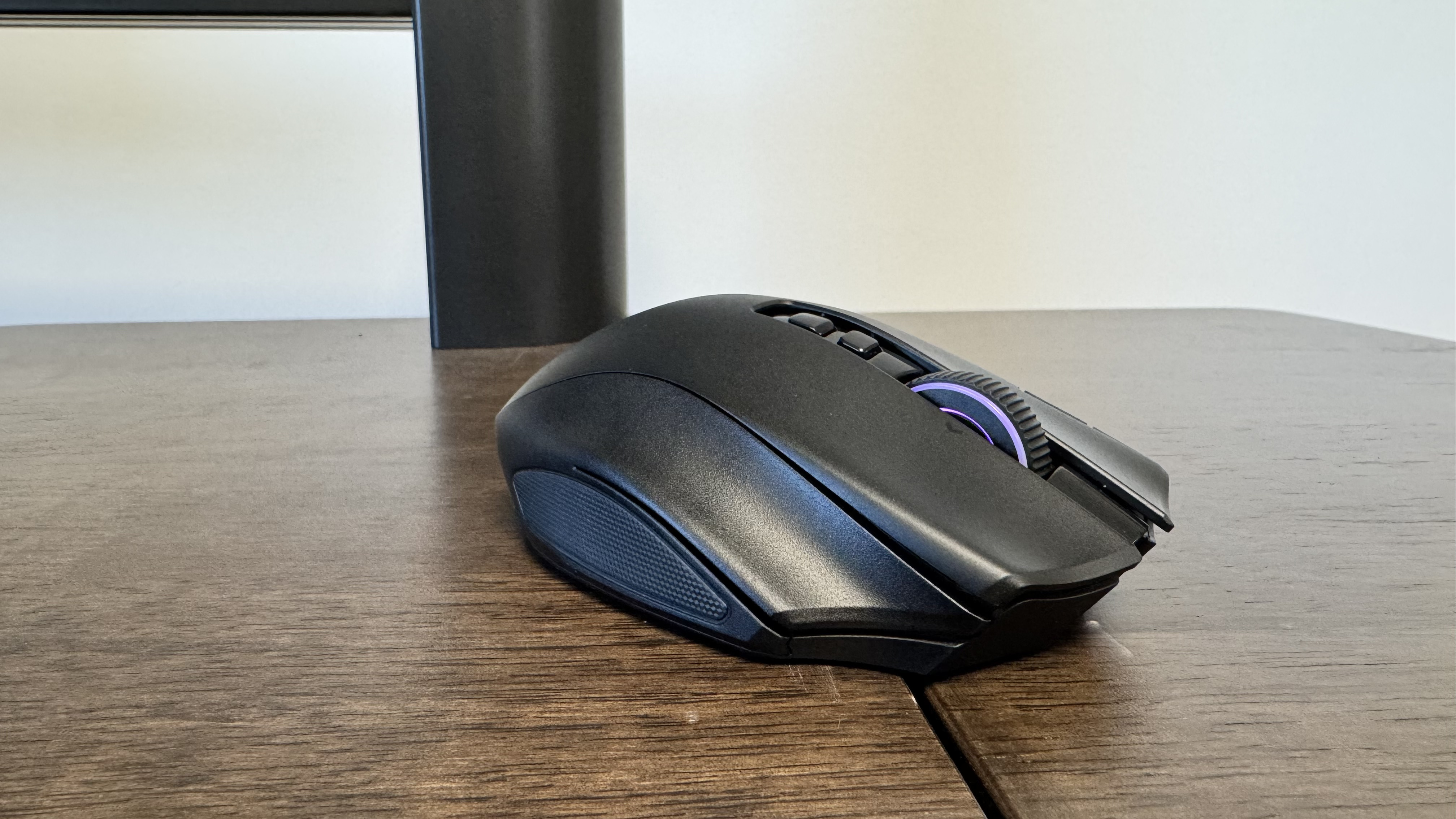
Aesthetically, engineering a chassis capable of housing 23 total buttons without looking bloated or clumsy is a difficult task. Razer succeeds admirably here, presenting a sleek, matte-black finish that vastly outperforms blockier competitors like the Corsair Scimitar Elite Wireless SE.
The Value Proposition
This brings us to the most contentious aspect of the Razer Naga V3 Pro: its $180 / £180 / €200 price tag.
At this price point, consumer expectations are immense. While the V3 Pro packs the 50K sensor, it ships out-of-the-box with a standard 1,000 Hz polling rate. Achieving an 8,000 Hz polling rate requires an additional investment in either the Mouse Dock Pro or a separate HyperPolling dongle—an unwelcome expenditure for a mouse that already commands top dollar. Furthermore, competing options like the Corsair Scimitar Elite Wireless SE retail for significantly less, while past-generation models like the Naga V2 Hyperspeed offer alternative pathways for budget-conscious MMO fans.
Future Outlook
The Razer Naga V3 Pro represents the pinnacle of modular MMO mouse engineering, but it also highlights the growing divide between raw hardware luxury and practical consumer economics.
For the dedicated, hardcore MMO player who lives inside titles like Final Fantasy 14 or World of Warcraft, the Naga V3 Pro remains an exceptional piece of engineering. Its flawless tracking, incredible battery longevity, adaptable magnetic side plates, and ergonomic profile ensure that—barring the irritating acoustic pitch of its Gen-4 switches—it stands virtually uncontested at the absolute peak of its niche.
However, for casual gamers or those who only dabble in MMOs on the weekends, the steep $180 investment is difficult to justify. As peripheral manufacturers push sensor resolutions to staggering heights and experiment with battery-saving protocols like FrameSync, the Naga V3 Pro proves that while you truly do get what you pay for, the bill at the top of the market has never been heavier.









Belum ada komentar. Jadilah yang pertama berkomentar!